Creative Discovery Museum
A website as playful as the museum
We redesigned cdmfun.org for Chattanooga’s children’s museum, moved it onto a content system the staff run themselves, and added Sprocket, a chat helper that answers visitors’ questions in English and Spanish.
- Project
- cdmfun.org
- Client
- Creative Discovery Museum, Chattanooga
- Role
- Strategy, UX / UI design, 3D, CMS development, and AI engineering
- Scope
- 26 page types in English and Spanish, a Payload CMS, and the Sprocket assistant
The Prompt
A site staff can keep current
Creative Discovery Museum welcomed 287,000 kids and grown-ups last year, and many of their visits started on the museum’s website. The old Webflow site had good content and a lot working against it. When we crawled all 95 pages before changing anything, none of the 343 images had alt text, 71 pages had no meta description, and the pages loaded twelve fonts from six script hosts. Some pages even disagreed about the museum’s hours.
We started by building a working version of the new site, so the museum’s team could click through it instead of picturing it from a proposal. Every fact (hours, prices, dates, and membership tiers) lives in one place that staff can edit, and every page draws from it. The redesign launches on cdmfun.org this fall.
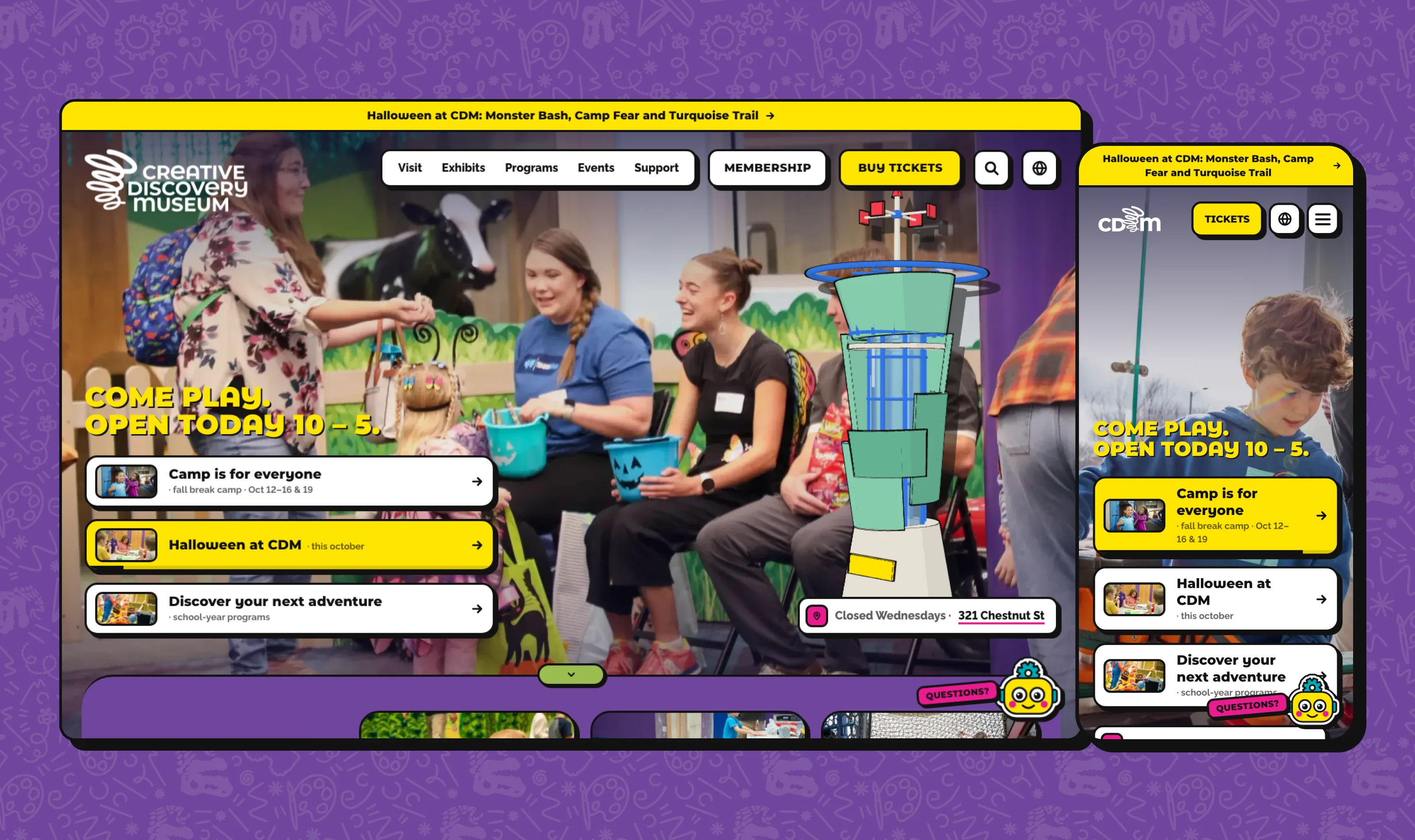
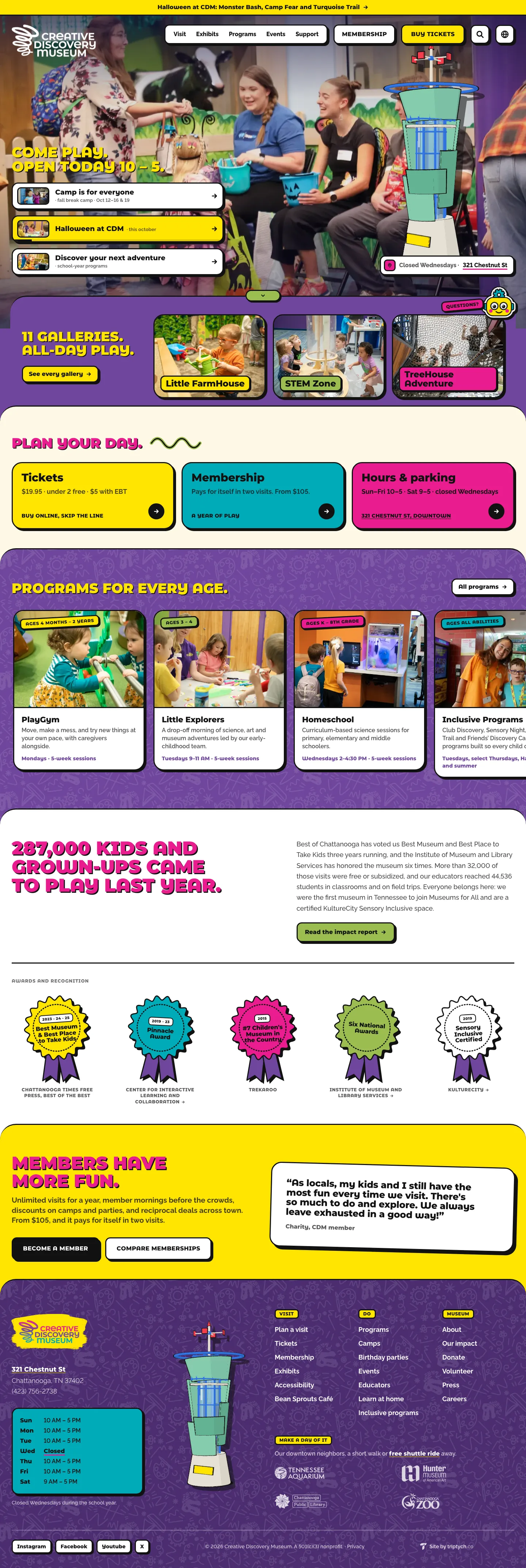

“I’m really impressed with the mock build you made of the website – it’s refreshing to see it in a totally different way, and helps give some good ideas for what our site could look like with real technical support.”
The Design
Built like a sticker sheet
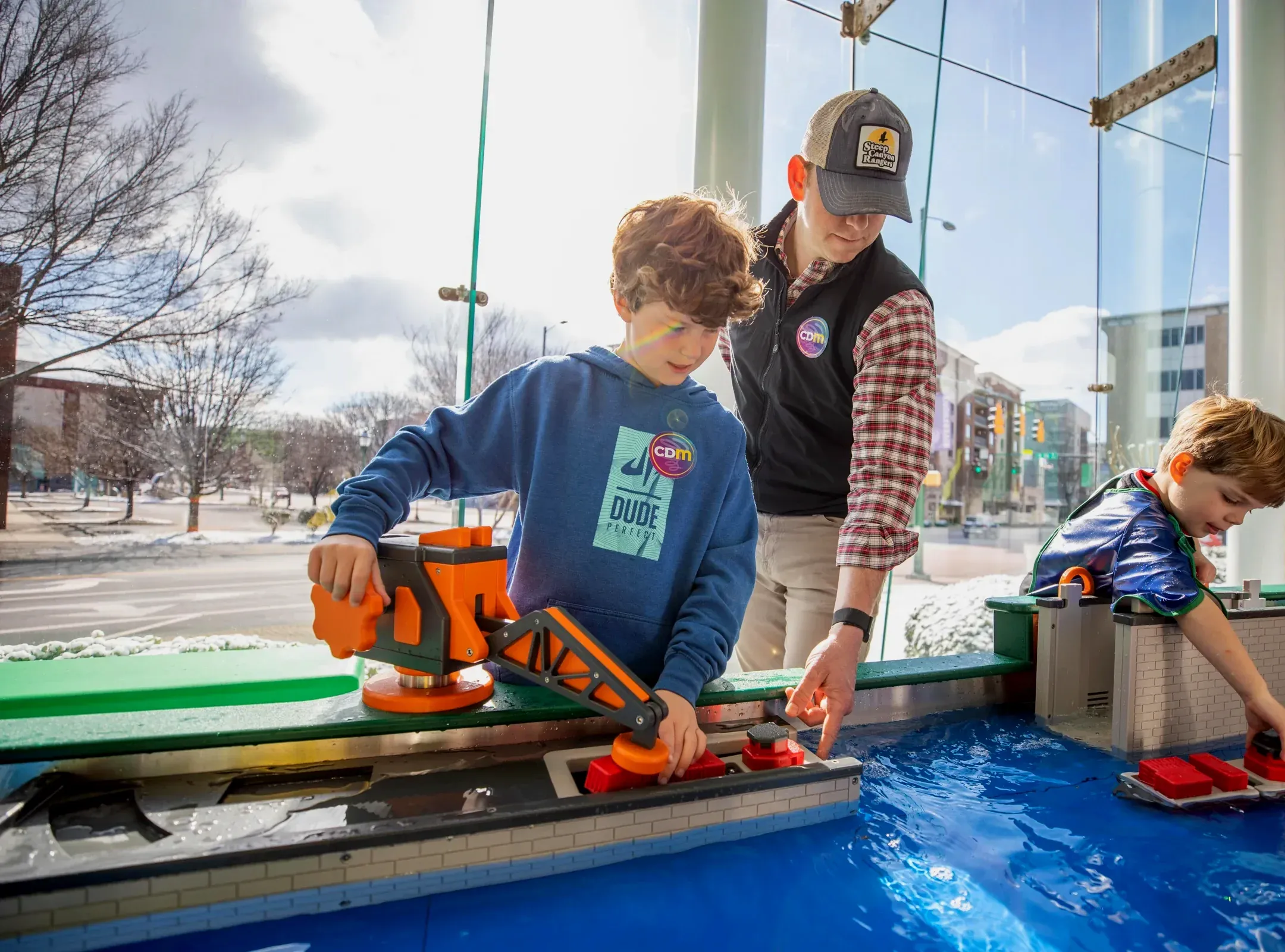
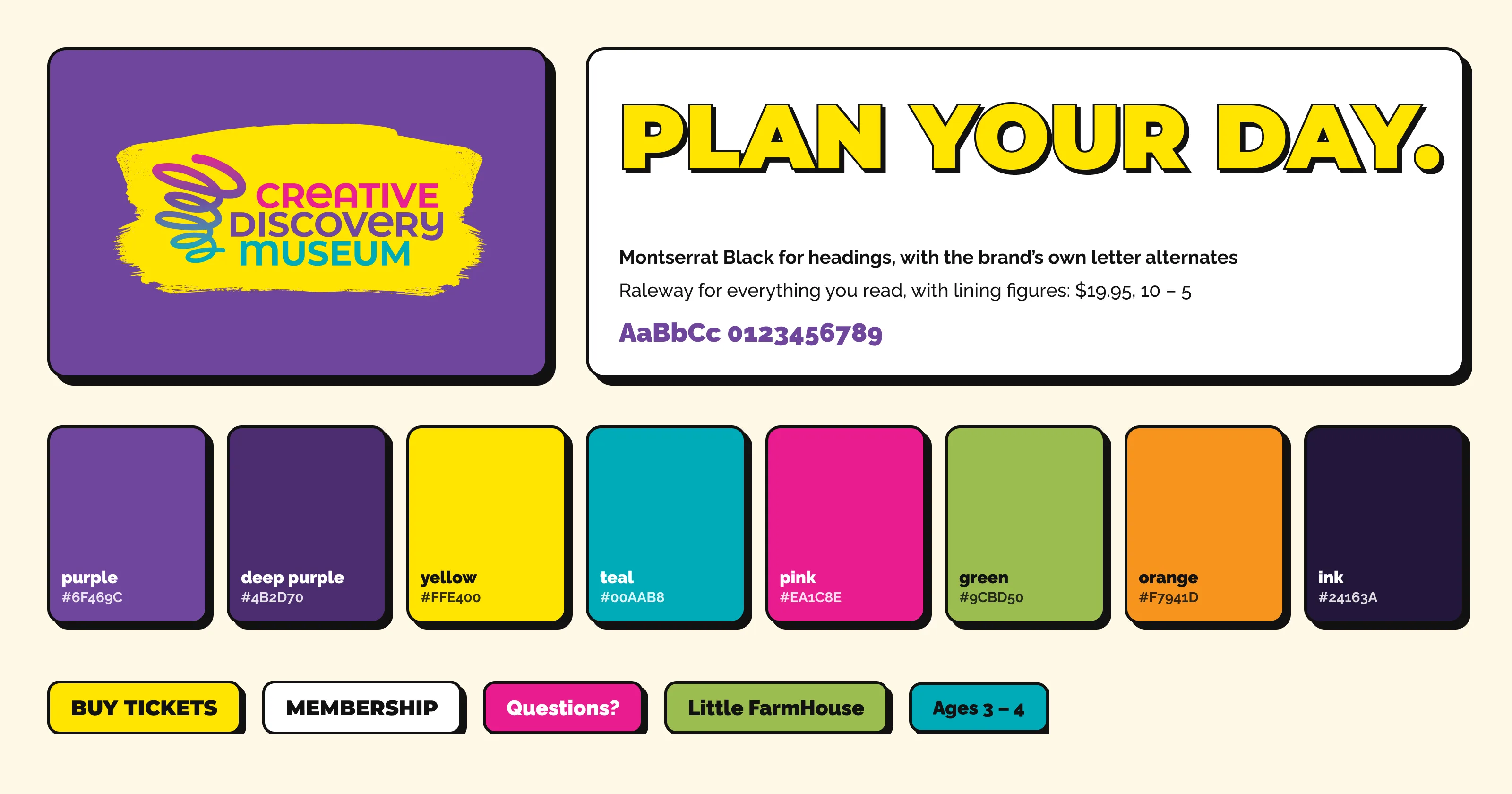
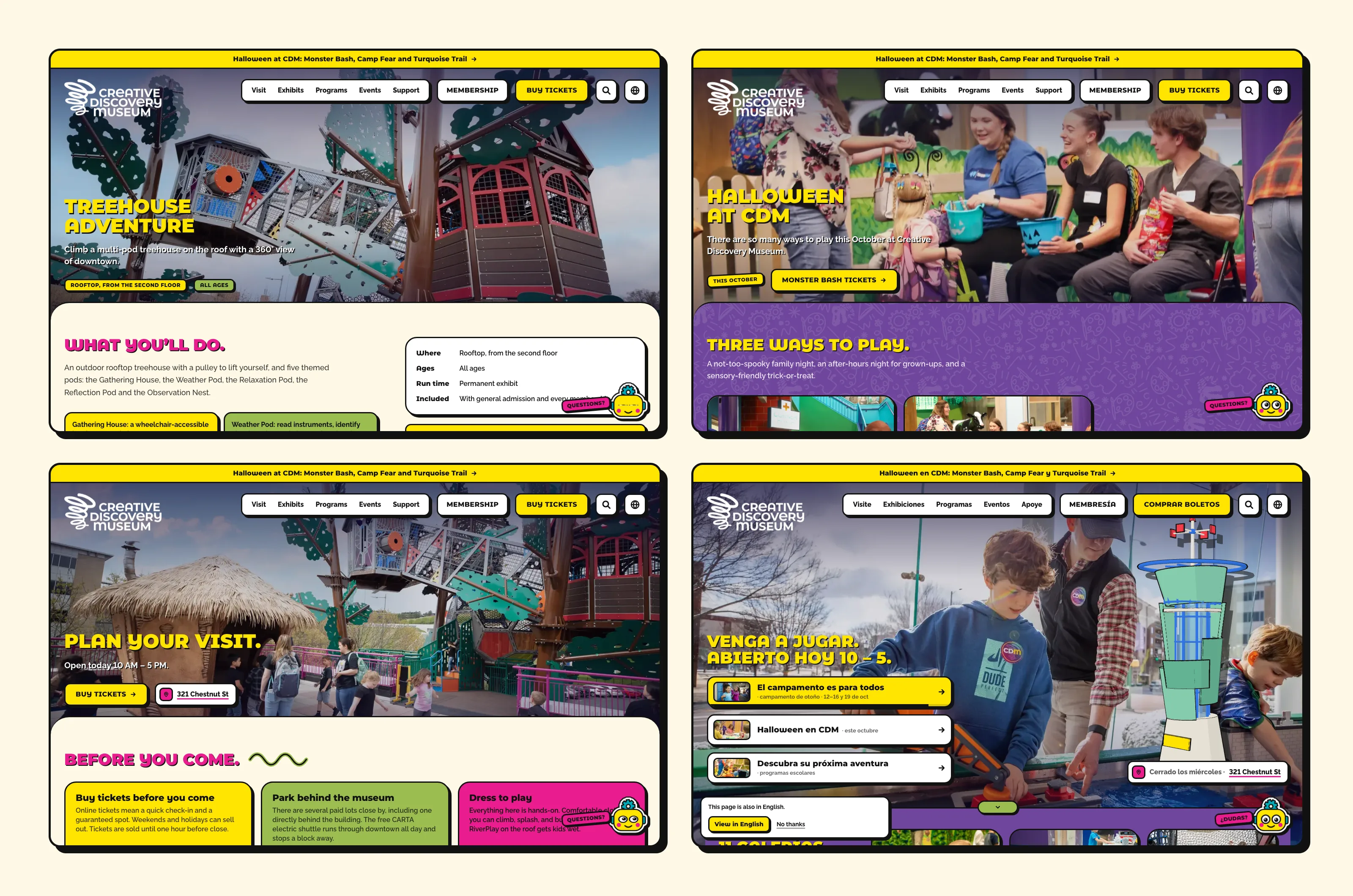
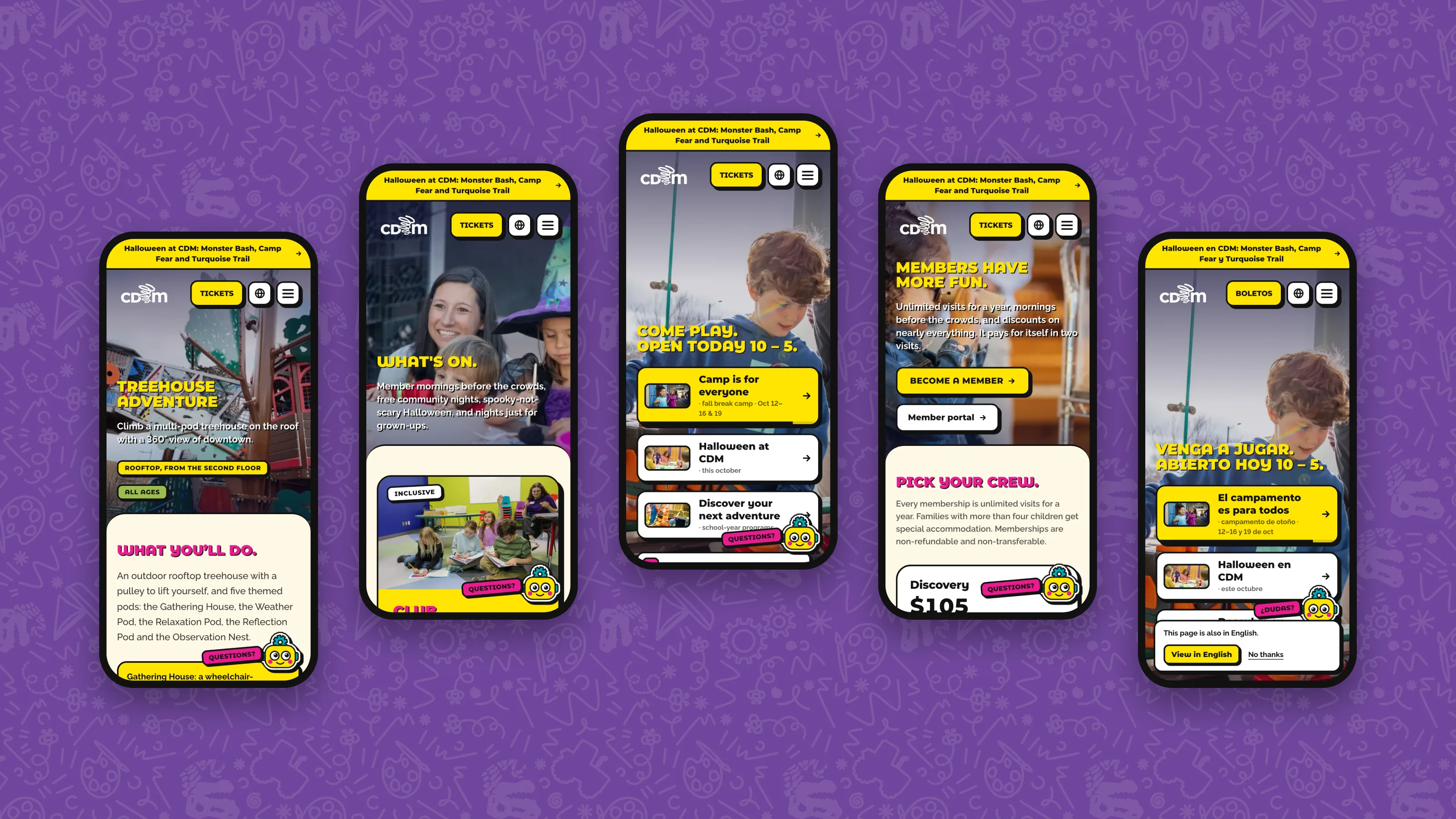
The museum’s brand is bright and hand-drawn, so we designed the site like a sheet of stickers. Anything you can press has a 3px black outline and a hard offset shadow that lifts on hover and presses in on tap, and sections overlap as rounded sheets. Every photo comes from the museum’s own library.
Headings use Montserrat Black with the brand’s own letter alternates, built into a custom font file, and the body copy is set in Raleway. On phones, the menu opens with a circle wipe and its links drop in like stickers.
The Pattern Builder
Patterns from the brand’s drawings
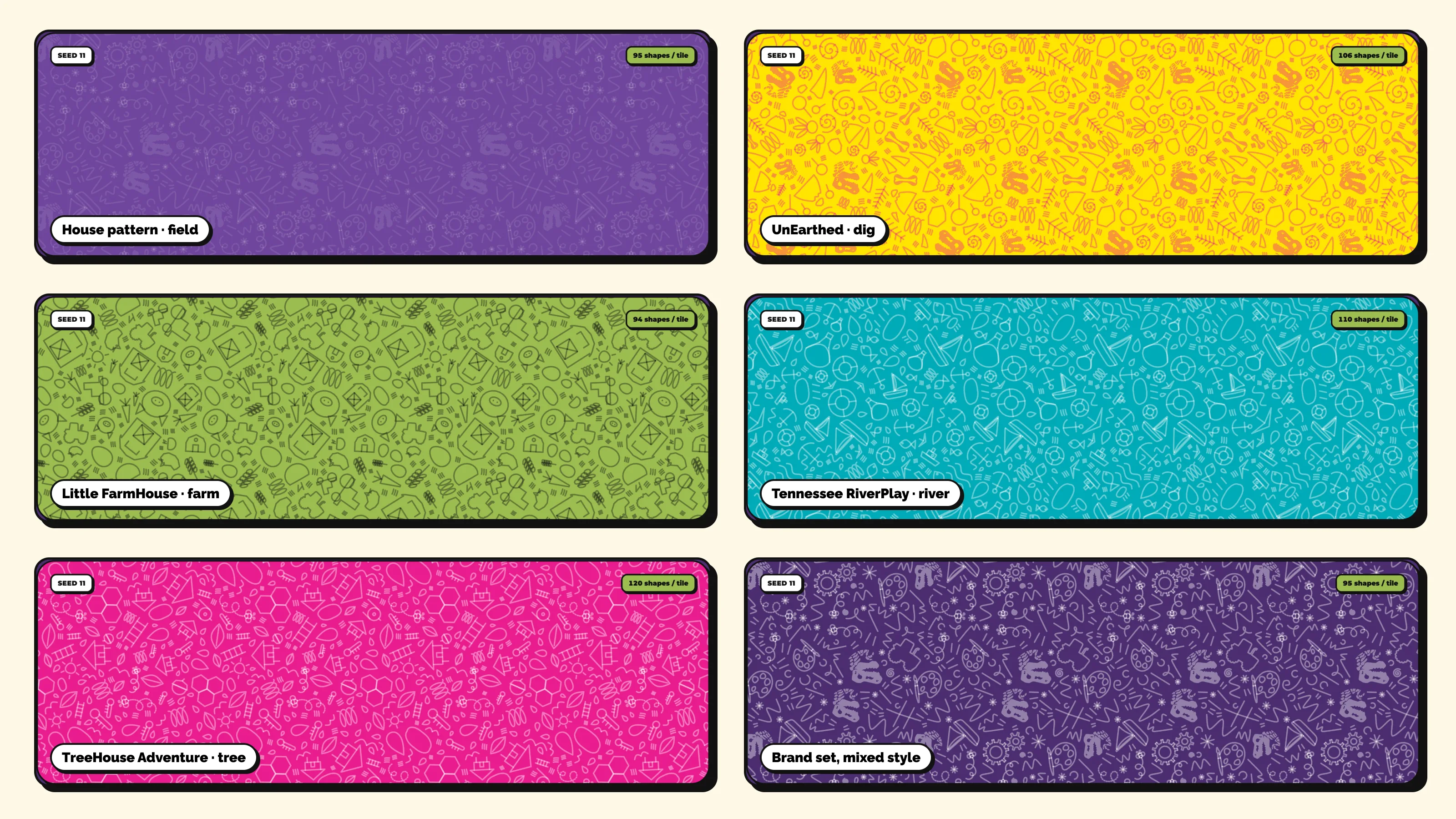
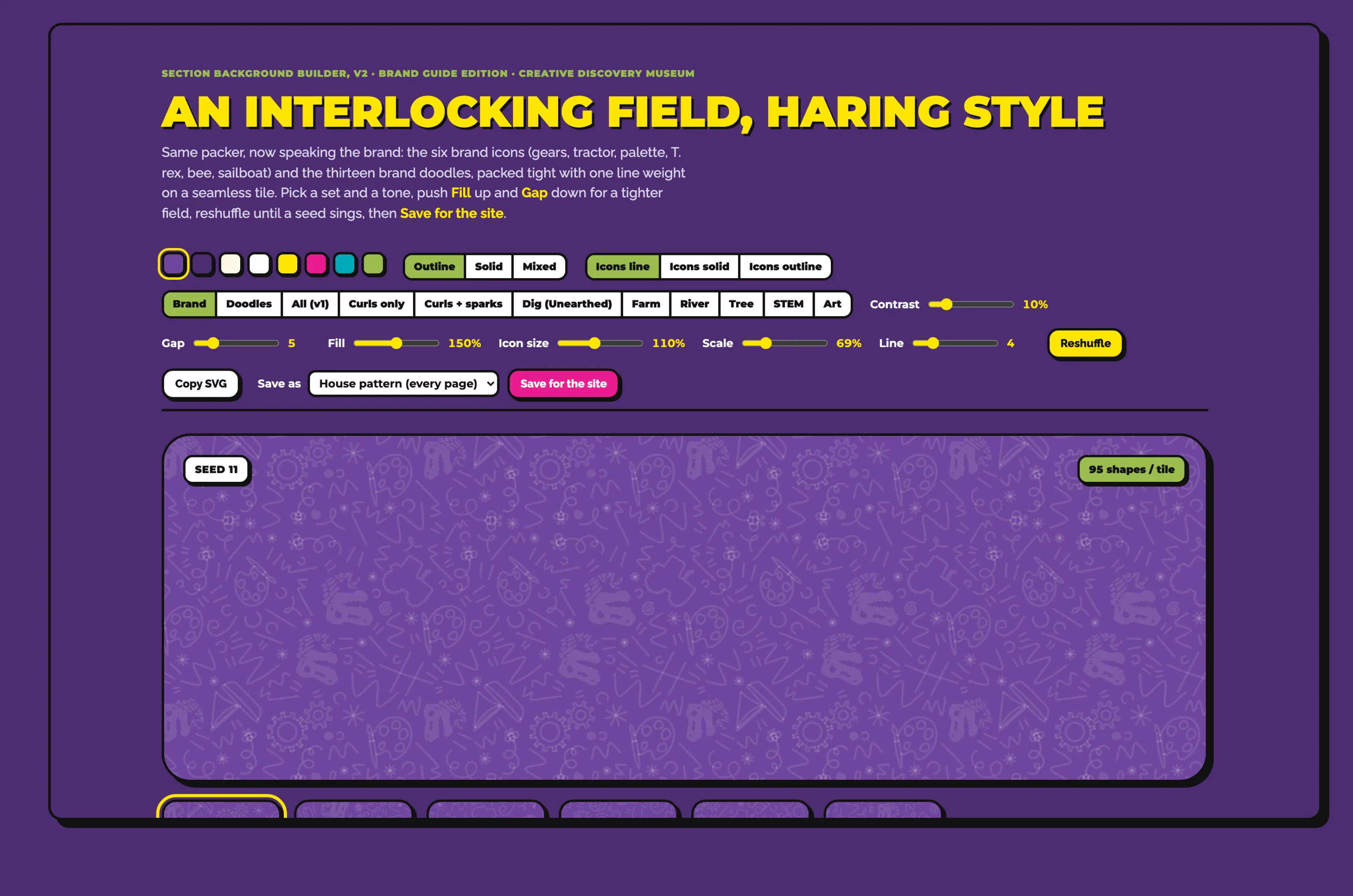
Tyler built a pattern builder so the site’s backgrounds could come from the museum’s own artwork. It packs the six brand icons (gears, tractor, palette, T. rex, bee, and sailboat) and thirteen brand doodles onto a 480px tile. The largest shapes go down first, and each new one is tested against everything already placed. Shapes that cross an edge continue on the opposite side, so the tile repeats without a seam, and every motif shares one stroke weight, the way Keith Haring’s fields hold together.
The builder stays with the design team. Pick a set and a color, reshuffle until a seed looks right, and save it, and a script exports the result as an SVG tile for the site. Five patterns ship today: the house pattern behind most sections, plus sets for UnEarthed, Little FarmHouse, Tennessee RiverPlay, and TreeHouse Adventure, each led by that exhibit’s icon. Editors choose an exhibit’s pattern from a menu in the CMS.
The Tower
The copper tower in 3D
The museum’s copper tower is the building’s best-known feature, so we modeled it for the home page and the footer. The model is assembled in Three.js from simple shapes: a tapered base, a glass core with mullions, leaning copper panels, a balcony ring, and a weathervane mast. Toon shading, black outlines, and a hard offset shadow draw it in the same outlined style as the rest of the site.
On the site, the tower leans toward the pointer on a desktop and turns on its own on phones and in the footer. Rendering pauses when it scrolls out of view, and visitors who prefer reduced motion see a still three-quarter view.
Drag to turn the tower
Sprocket
A helper named Sprocket
Give him a tap
Parents planning a visit tend to ask the same few questions: what time the museum opens, what tickets cost, and where to park. Sprocket, a yellow robot with a gear for a hat, answers them from the corner of every page in English and Spanish. His launcher hops when the museum is open today and naps when it’s closed, and his eyes follow your mouse, as they do here.
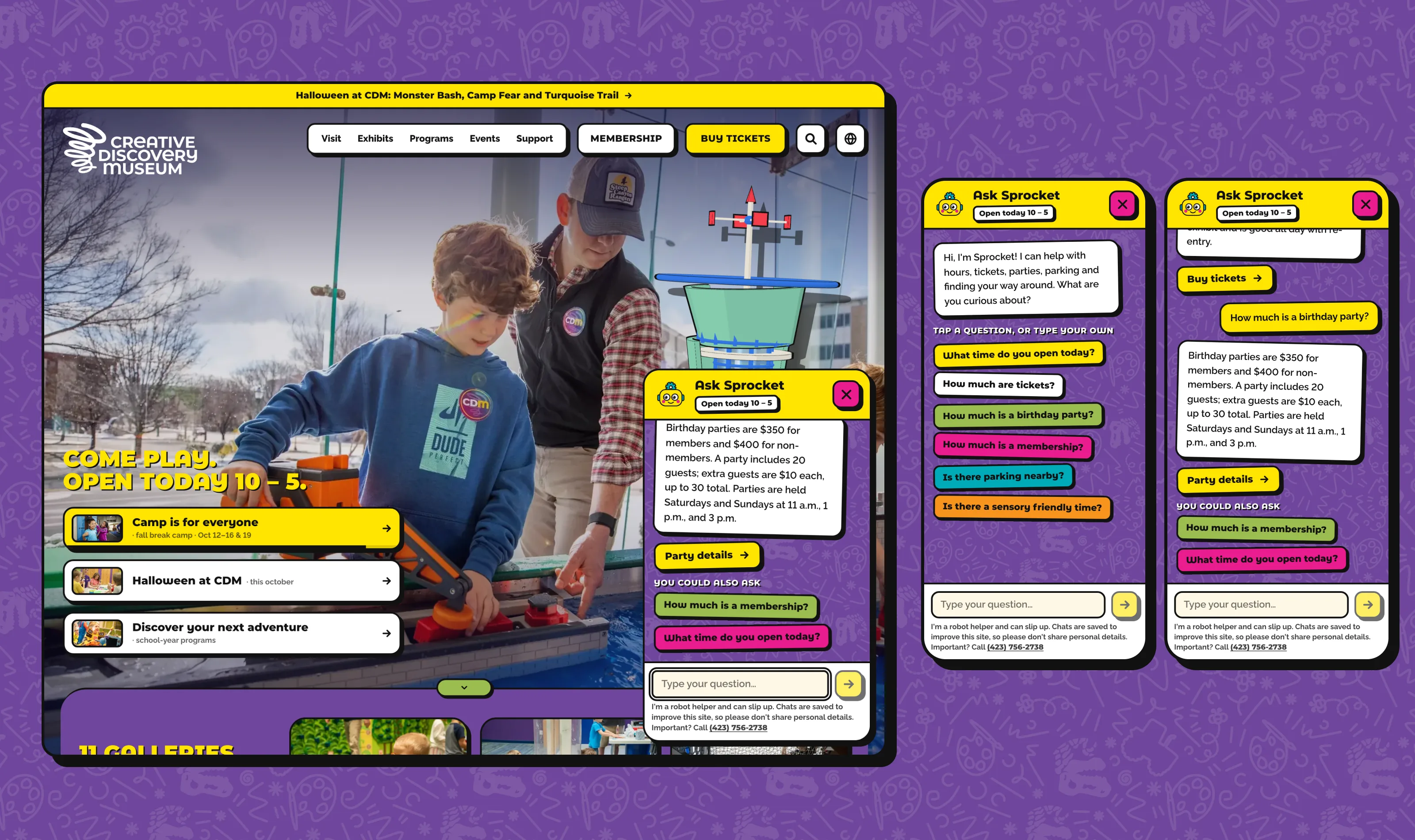
Sprocket’s greeting and a conversation about tickets and parties, using the museum’s live prices.
How Sprocket answers
01 · Instant answers
A rules layer recognizes the common questions, fixes typos, and replies at once with hours, prices, and links read from the CMS. When staff enter a snow day, Sprocket’s hours answer uses it too.
02 · Open questions
Anything else goes to OpenAI’s GPT-4.1 mini with a prompt built from the museum’s own content: exhibits, programs, camps, prices, and up to 40 upcoming events, plus today’s date and hours.
03 · A person
When neither layer can help, Sprocket gives the museum’s phone number.
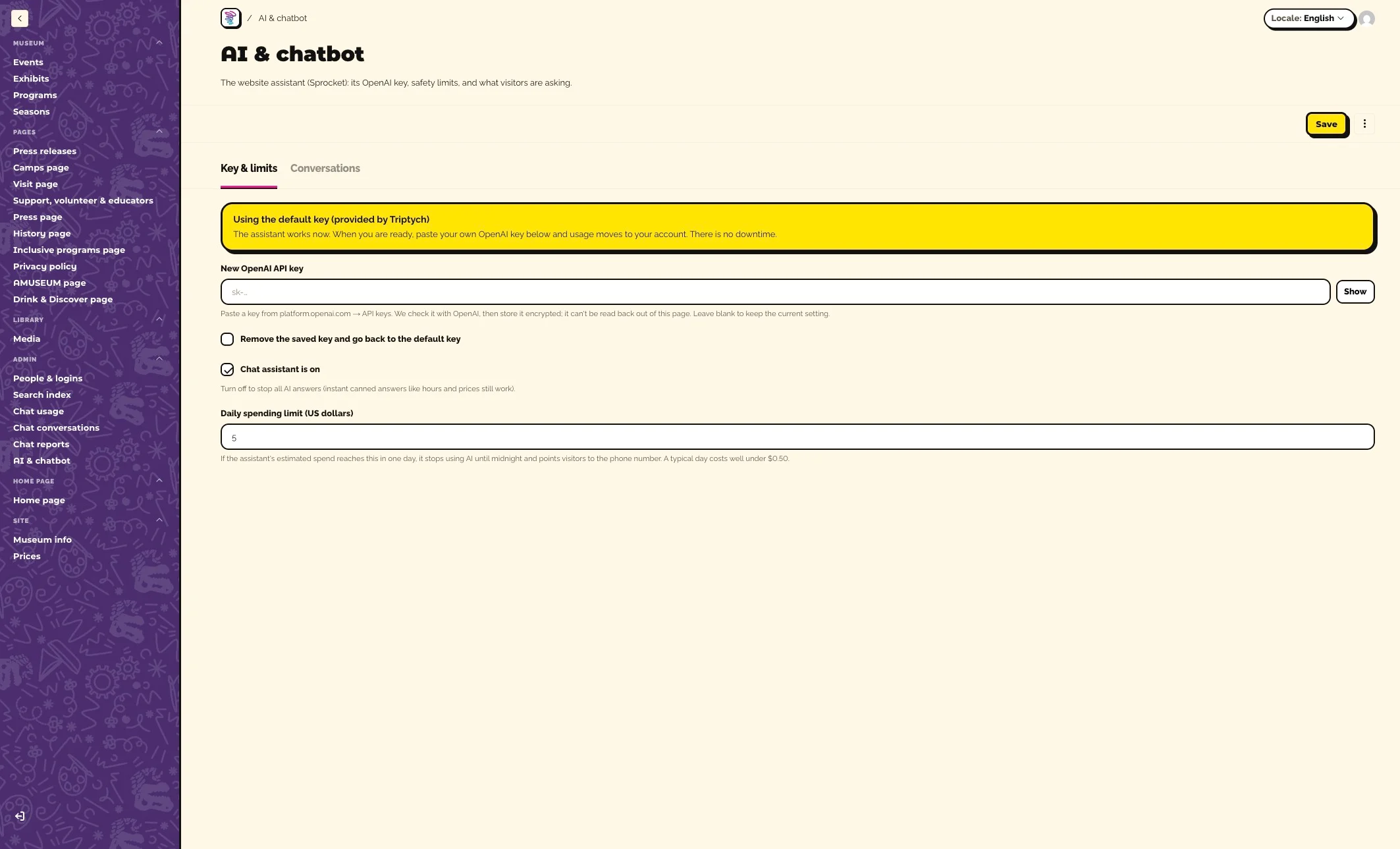
The prompt keeps Sprocket to the museum’s facts and to visiting Chattanooga with kids, and tells him to ignore any message that asks him to change his rules. He can’t buy tickets or change bookings. Each message is capped at 500 characters, each visitor at 20 messages in ten minutes, and the whole assistant at a daily spending limit staff set in the CMS. A 41-question test set checks him on hours, prices, policies, Spanish, off-topic requests, and an attempt to rewrite his rules.
The CMS
Made for museum staff
We moved the site onto Payload, an open-source CMS that runs inside the same Next.js app, with Postgres and file storage on Supabase. Staff edit events, exhibits, programs, seasons, press releases, and photos, along with the hours, prices, and page content. Layout, design, and search settings stay in code, so an edit can’t break a page.
Dated closures and snow days override the weekly hours everywhere they appear, including the header, the Visit page, and Sprocket’s answers. When staff save, the site search index updates with the change.
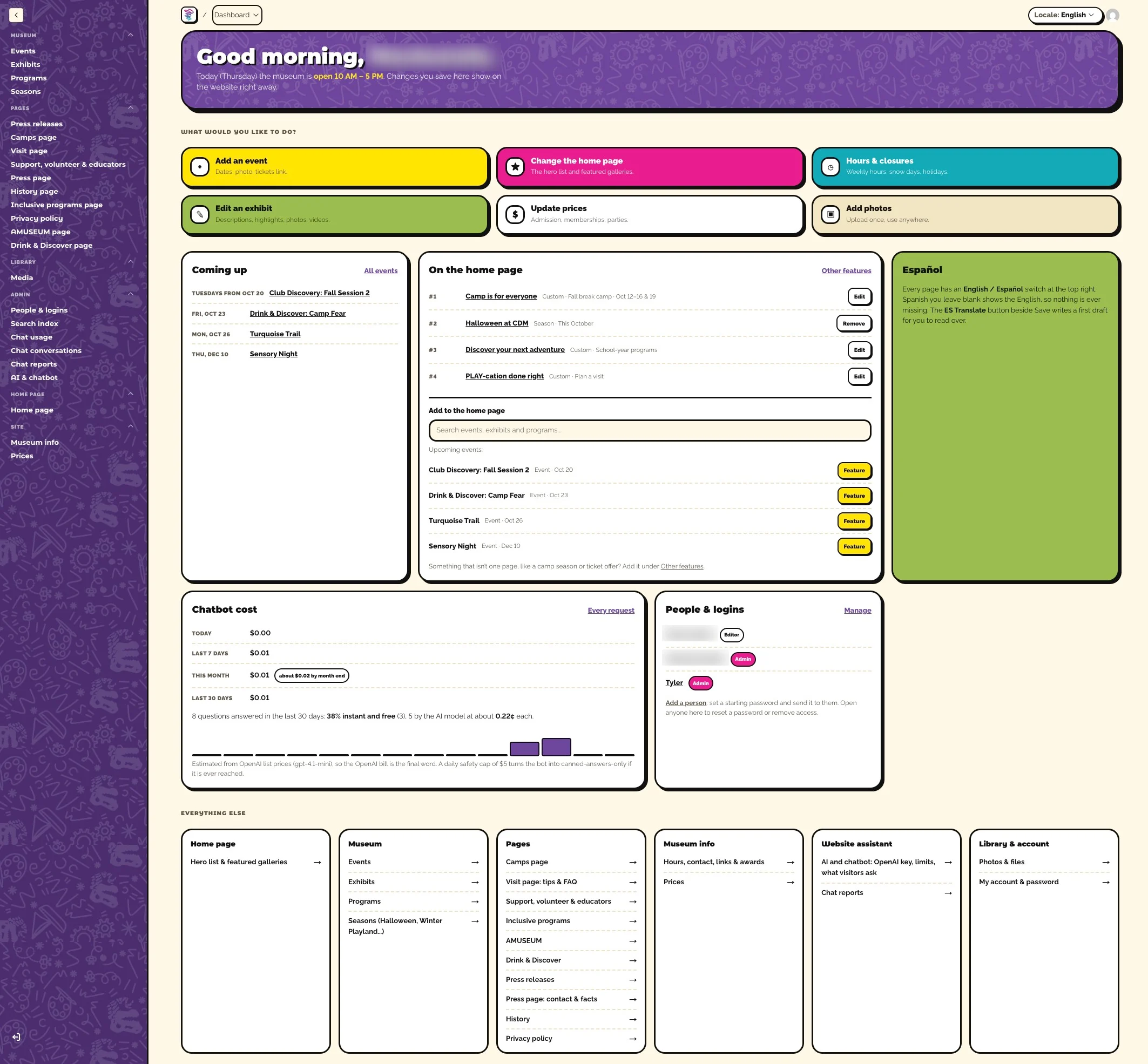
Dashboard
Start with today
Staff open the CMS to today’s hours and the six jobs they do most. Below that, the dashboard shows what’s coming up, what the home page is featuring, and what Sprocket has cost.
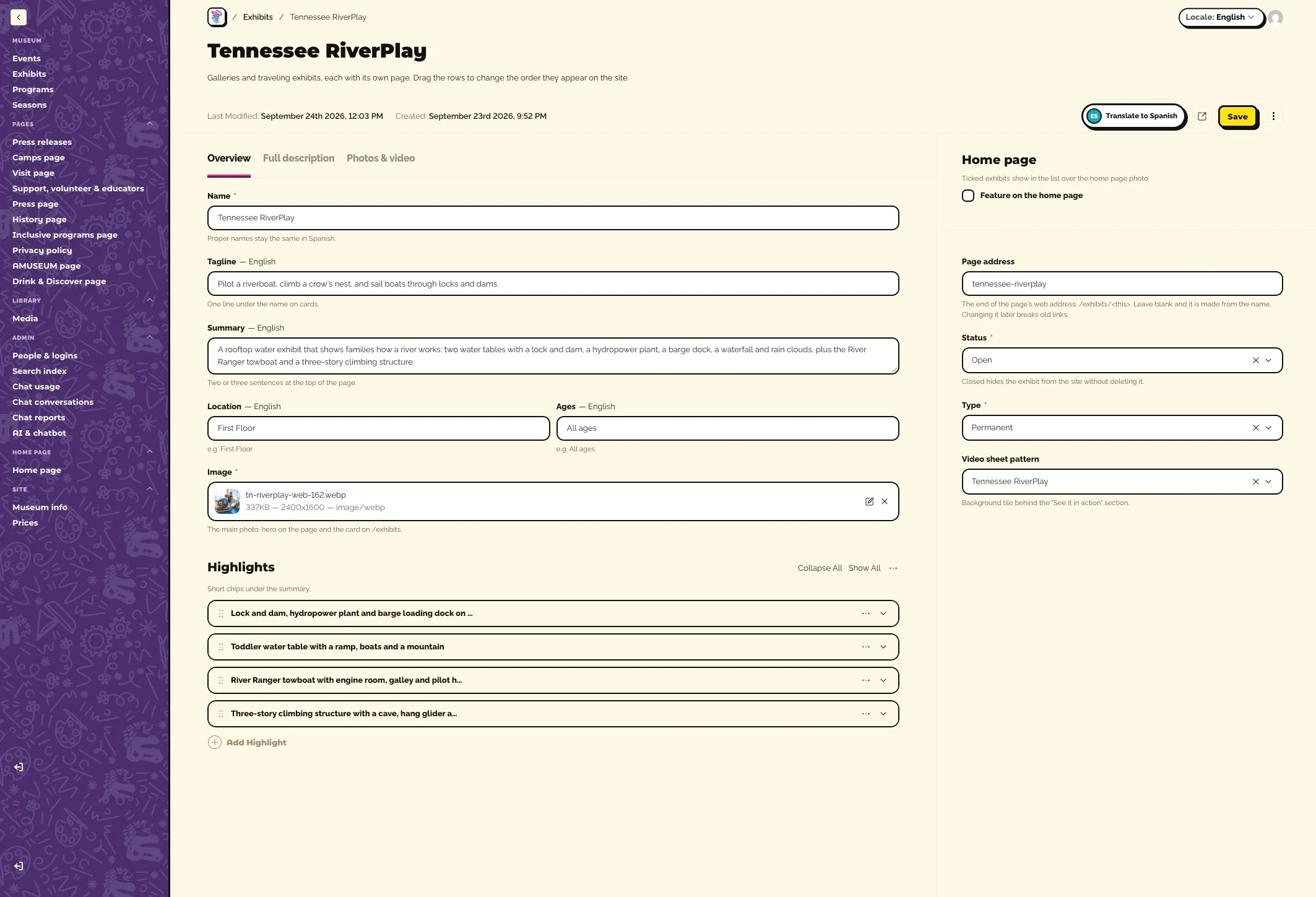
Exhibits
Every gallery has a page
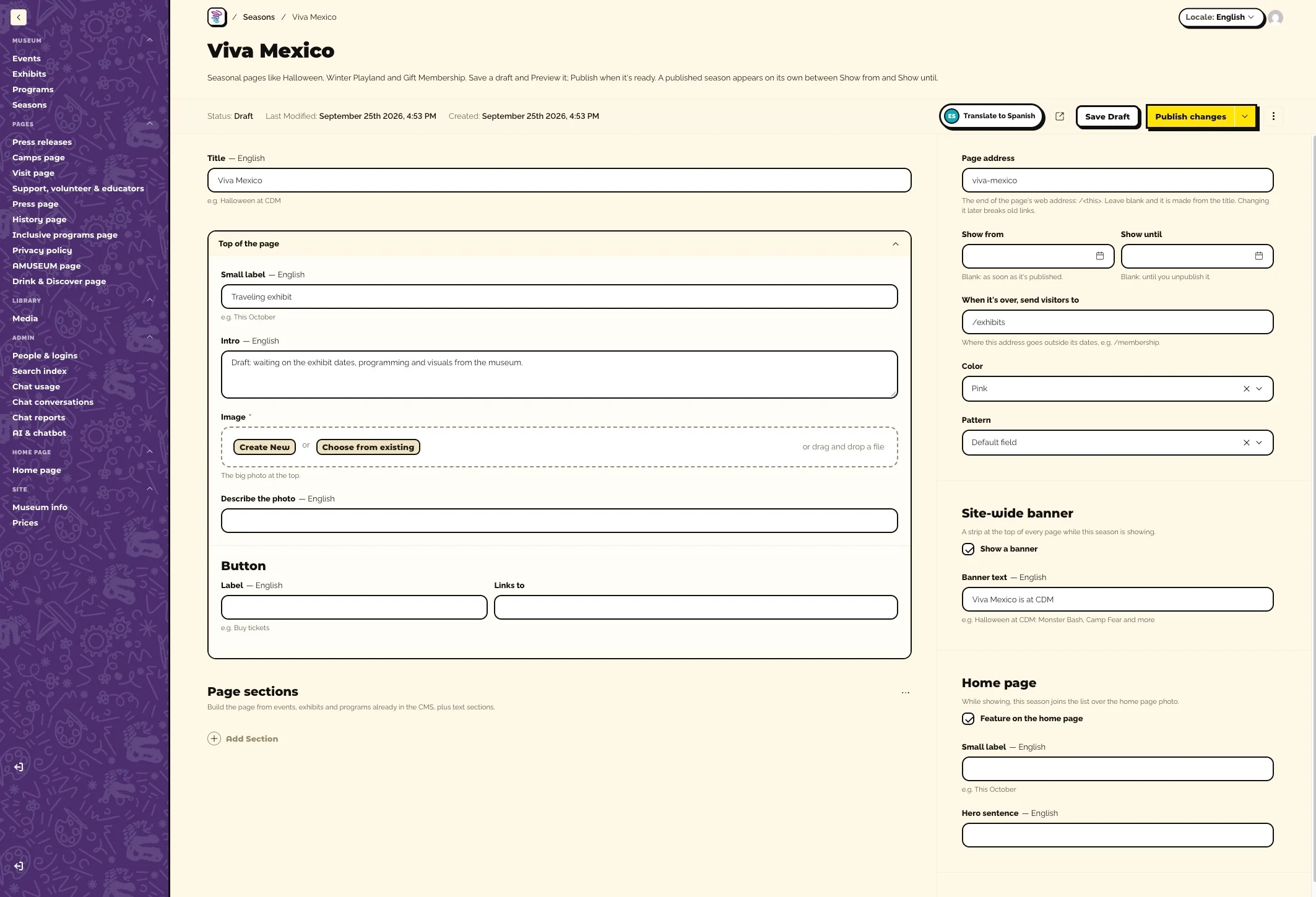
Each exhibit is one record with an overview, a full description, and photos and video. Fields that change by language are labeled, and a Translate to Spanish button beside Save drafts any Spanish left blank for staff to read over. We used it once to fill all 658 Spanish fields on the site.
Seasons
Campaigns that run on time
Seasonal campaigns such as Halloween at CDM, Winter Playland, and Viva Mexico get their own landing pages. Staff save a draft, preview it, and publish, and the season appears on its own between its show dates, with a site-wide banner and a spot on the home page.
AI & chatbot
Sprocket has a settings page
Admins control Sprocket from one page. The museum can paste in its own OpenAI key, which is checked, stored encrypted, and never shown again. A second tab saves conversations, with emails and phone numbers blanked out, and writes reports on what visitors ask.
Under the Hood
The tools behind it
- Site
- Next.js 16 and React 19 on Vercel, with 101 pages prerendered in English and Spanish
- CMS
- Payload 3 with Postgres and file storage on Supabase; photos are compressed to WebP in the browser before upload
- Assistant
- OpenAI GPT-4.1 mini through the Responses API, behind an instant rules layer and a daily spending limit
- Translation
- OpenAI with structured output, filling only the Spanish fields left blank
- 3D
- Three.js with toon shading, outline hulls, edge lines, and a stencil shadow
- Search
- All 95 old addresses resolve, with Museum, Event, Exhibit, and FAQ structured data
Creative Discovery Museum’s team can now change hours, events, exhibits, and prices themselves, in two languages, and a family can ask Sprocket about their visit from any page. The pattern builder and the tower’s modeling process are ready for the next exhibit.
Every page in English and Spanish