Flywheel & iPROMOTEu Brands
Good merch starts with a conversation
We helped Flywheel and iPROMOTEu build MerchButler.AI to help buyers find branded merchandise, see it with their logo, and send a clear request to their sales team. Behind the conversation, a connected admin gives the team the tools to manage the whole platform.
- Project
- MerchButler.AI
- Client
- Flywheel Brands & iPROMOTEu
- Role
- Product strategy, AI engineering, UX / UI design, and full-stack development
- Scale
- 13,603 products and 179,677 SKUs from five suppliers, autonomous sync
The Prompt
Start with the occasion
A buyer might know they need “gifts for reps at our kickoff” without knowing which products to choose or what they can get within their budget. For Flywheel & iPROMOTEu, which sells branded merchandise through a sales team, turning that idea into product selections, on budget, with a logo proof, and a quote can take days.
We built MerchButler.AI to handle that first conversation online. The AI concierge asks about the event or occasion, recommends products from a catalog of more than 13,000, and creates mockups with the buyer’s logo. By the time a request reaches the sales team, the rep has a complete brief to work from.
The Conversation
A little guidance goes far
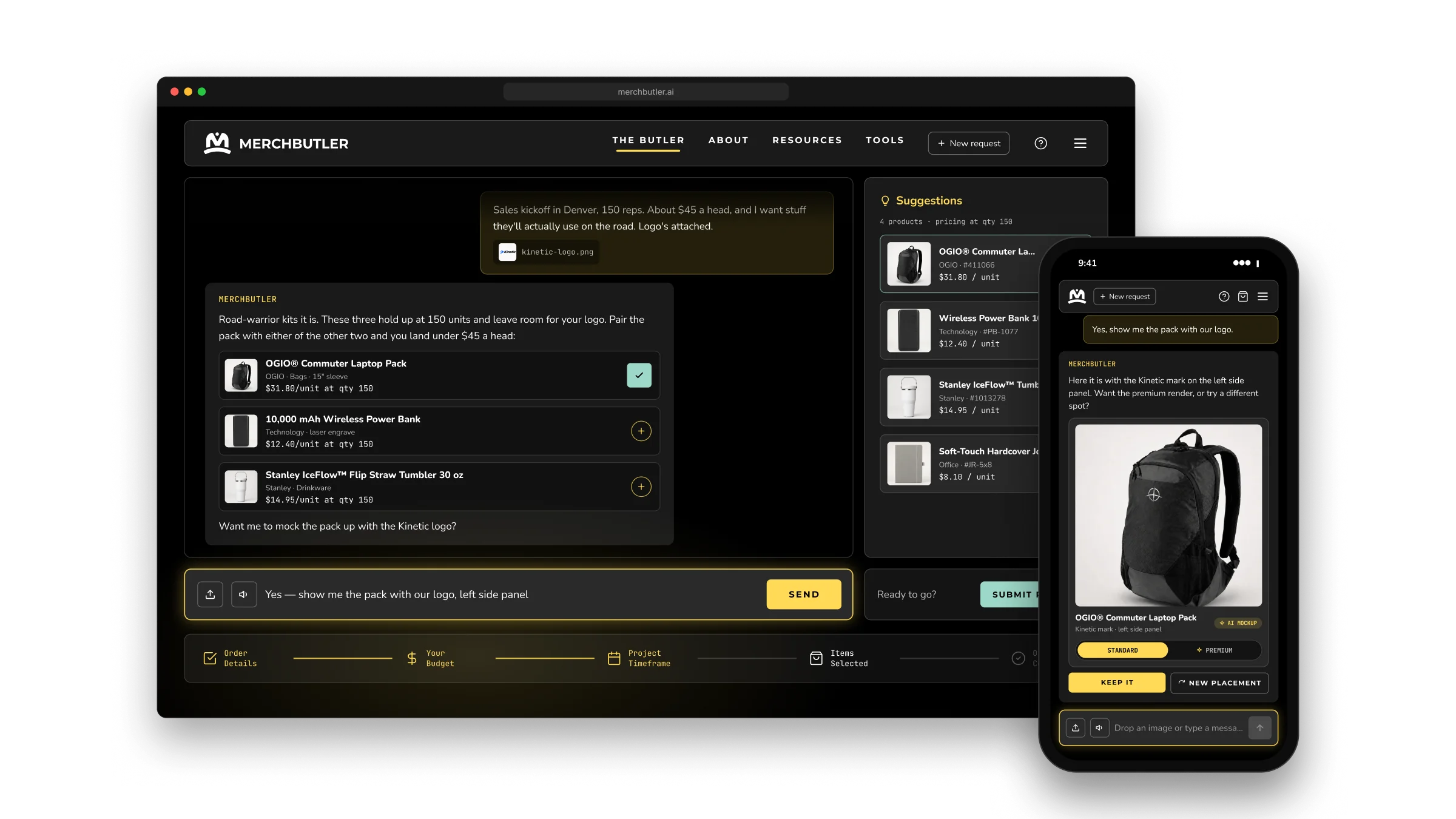
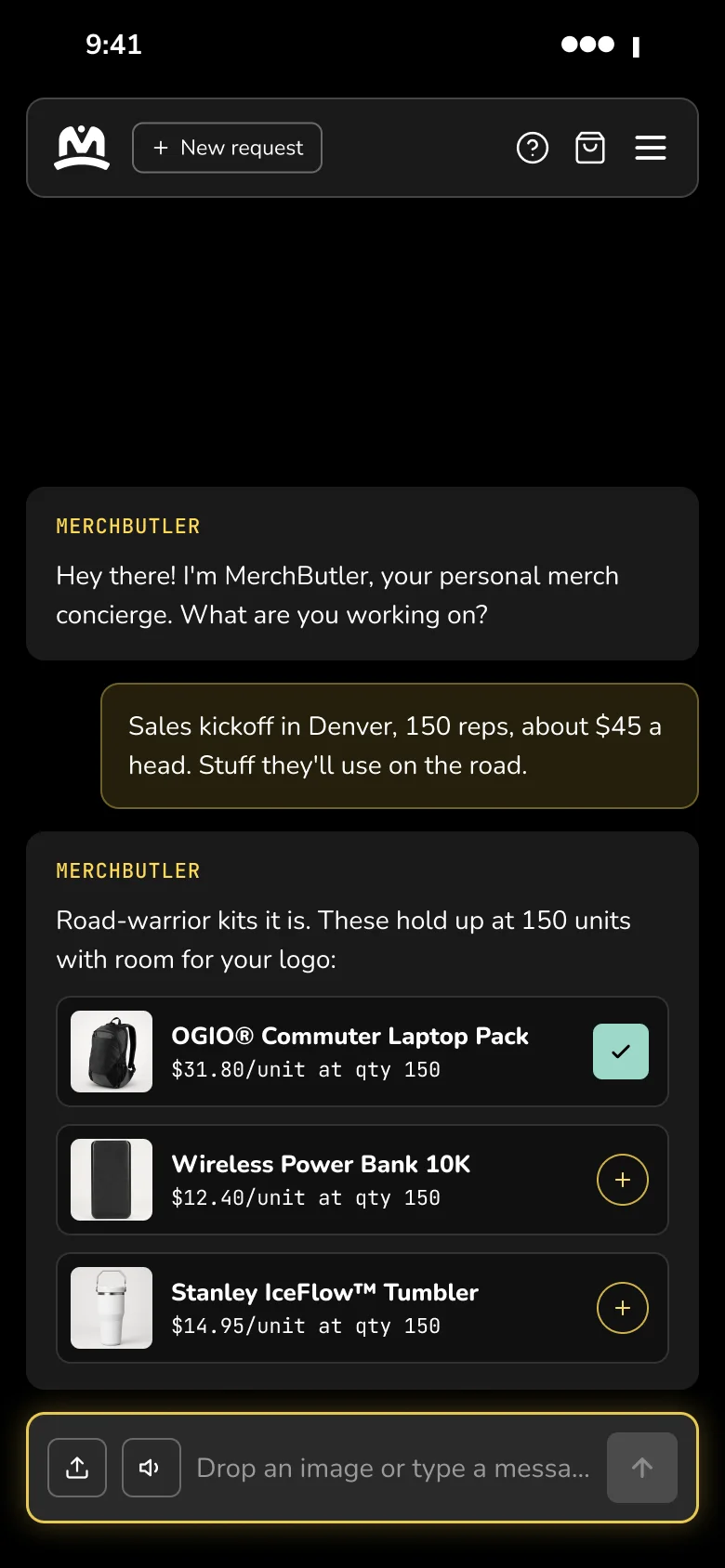
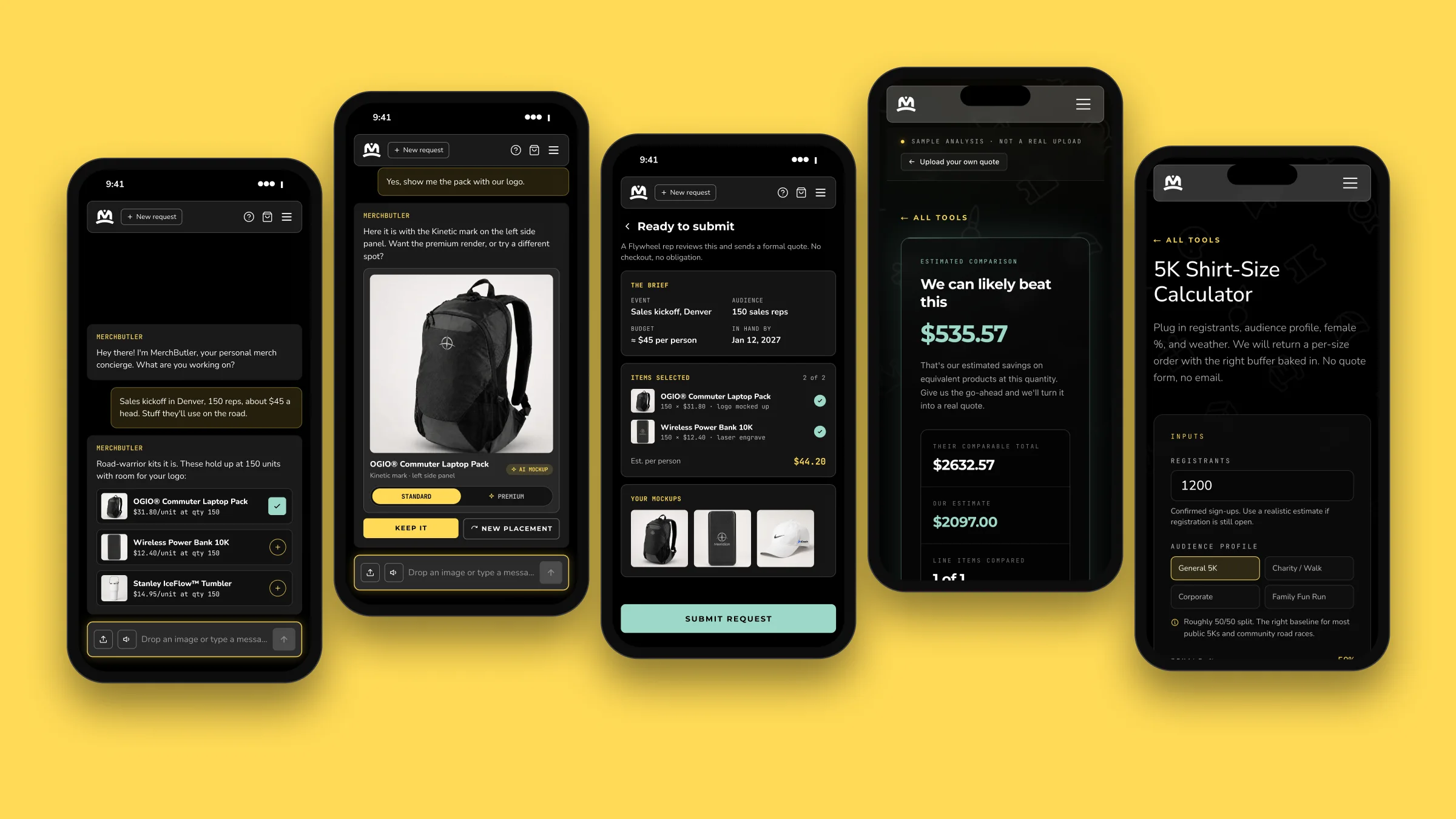
The Butler asks one useful question at a time and recommends products that fit the answers. Search considers what the buyer means, then filters the live catalog by category, budget, and quantity. Pricing reflects the order size, so a request for “$45 a head for 150 people” stays within budget and avoids products with a 500-piece minimum.
A five-step tracker covers order details, budget, timeframe, items, and confirmation, so buyers always know what comes next. Suggested products collect on a shelf where they can review and confirm their favorites.
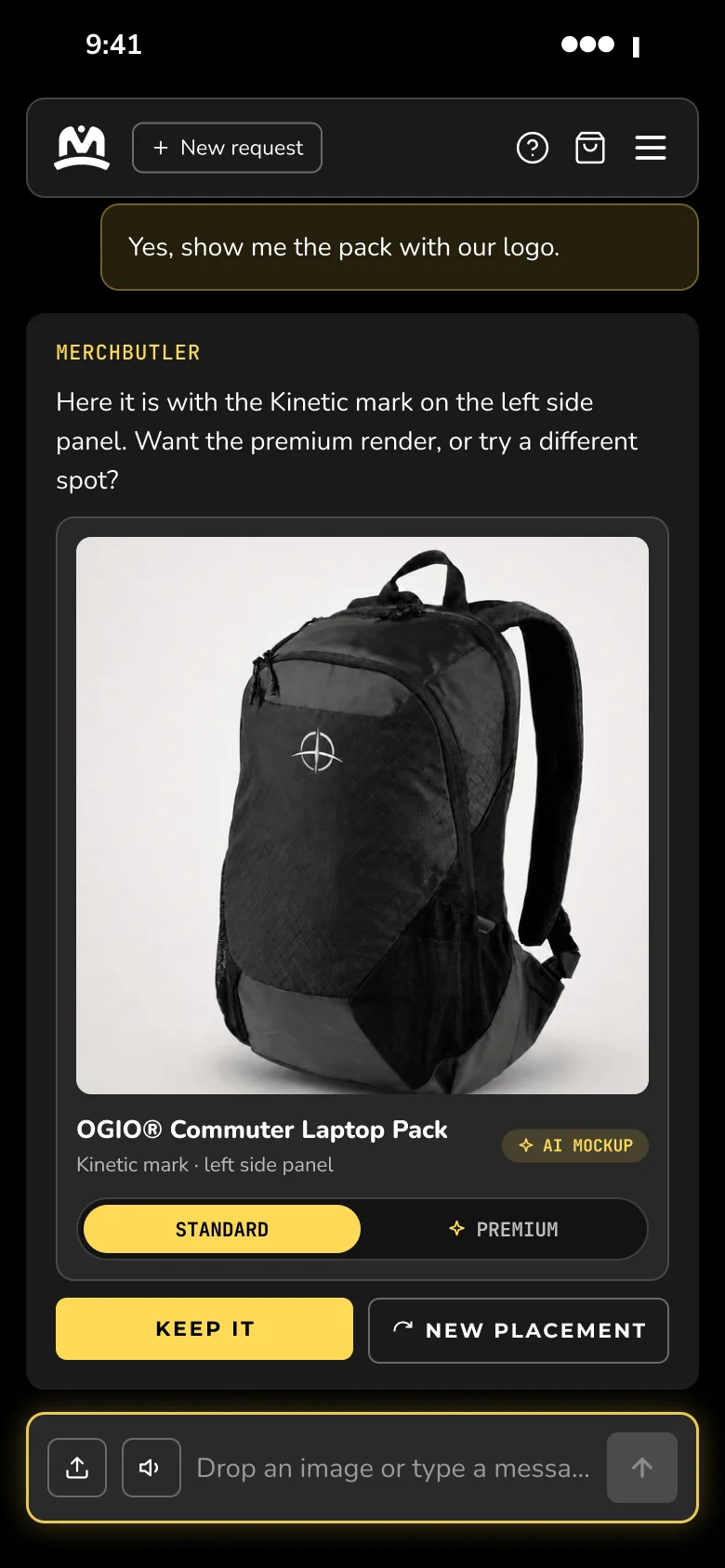
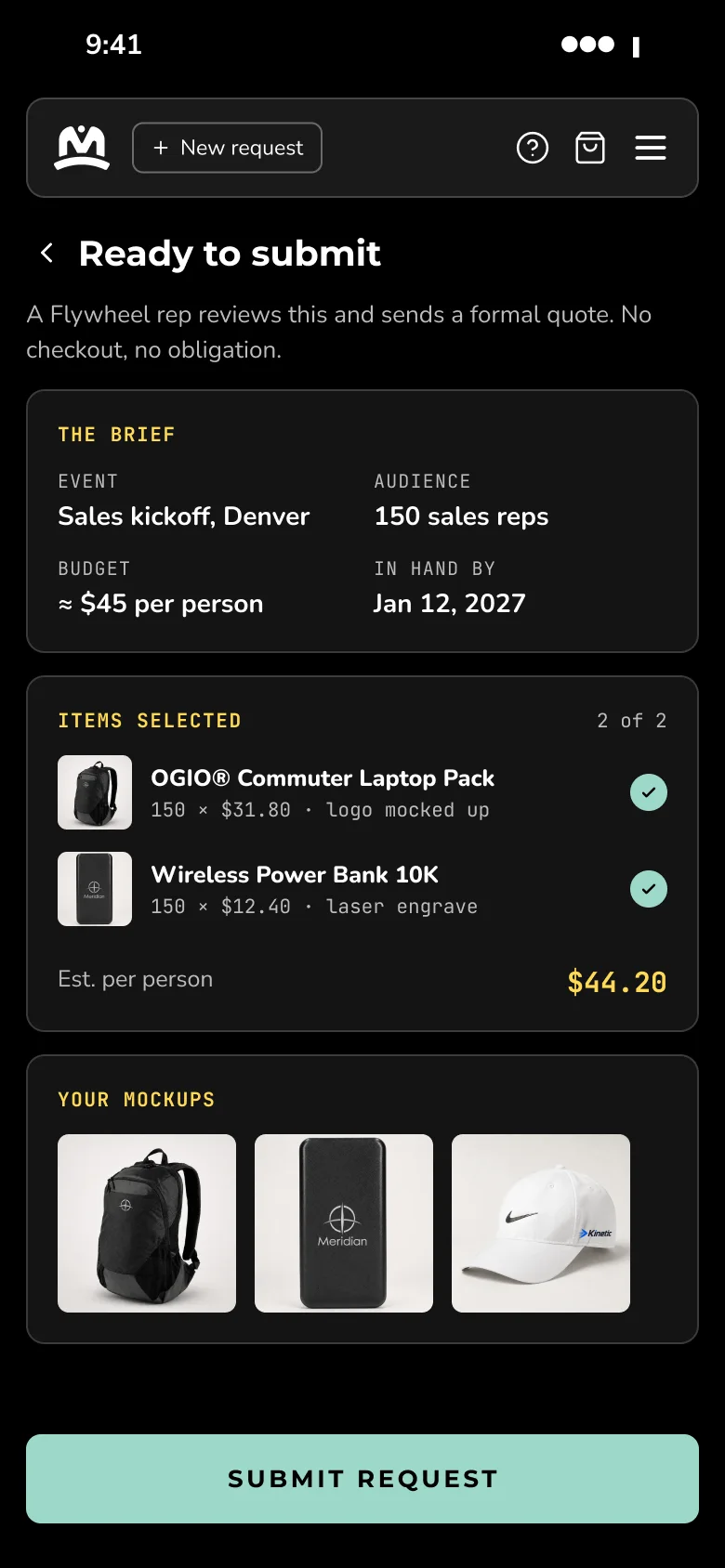
Upload a logo and the Butler places it on the selected product in seconds. Buyers can see how their merchandise could look before asking the sales team for a quote.
See it with your logo
The System
Connected behind the scenes
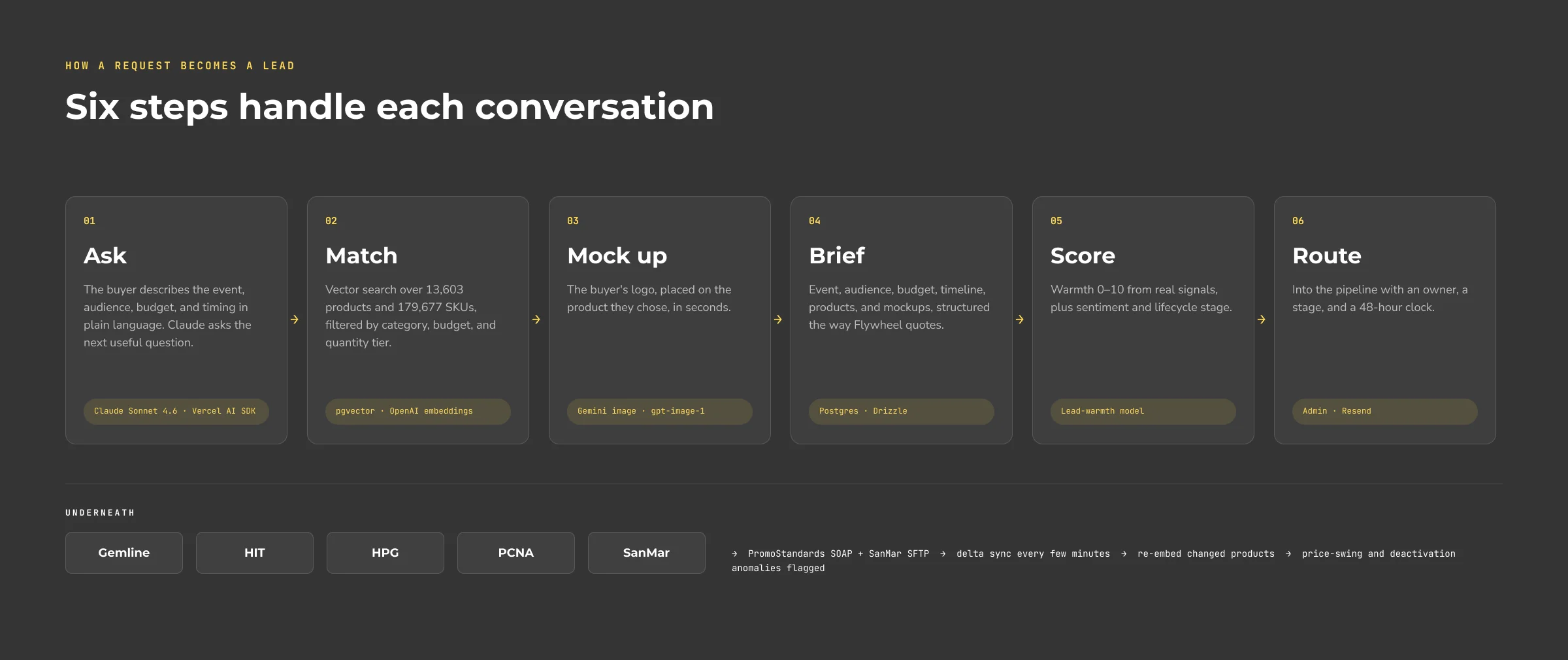
The conversation is the starting point for a connected workflow: product matching, mockup generation, a structured brief, lead scoring, and routing to the sales pipeline. Scheduled workers keep catalog details, pricing, images, and inventory in sync across five suppliers. They also update product search data and flag large price changes before those reach buyers.
The Process
The flow came first
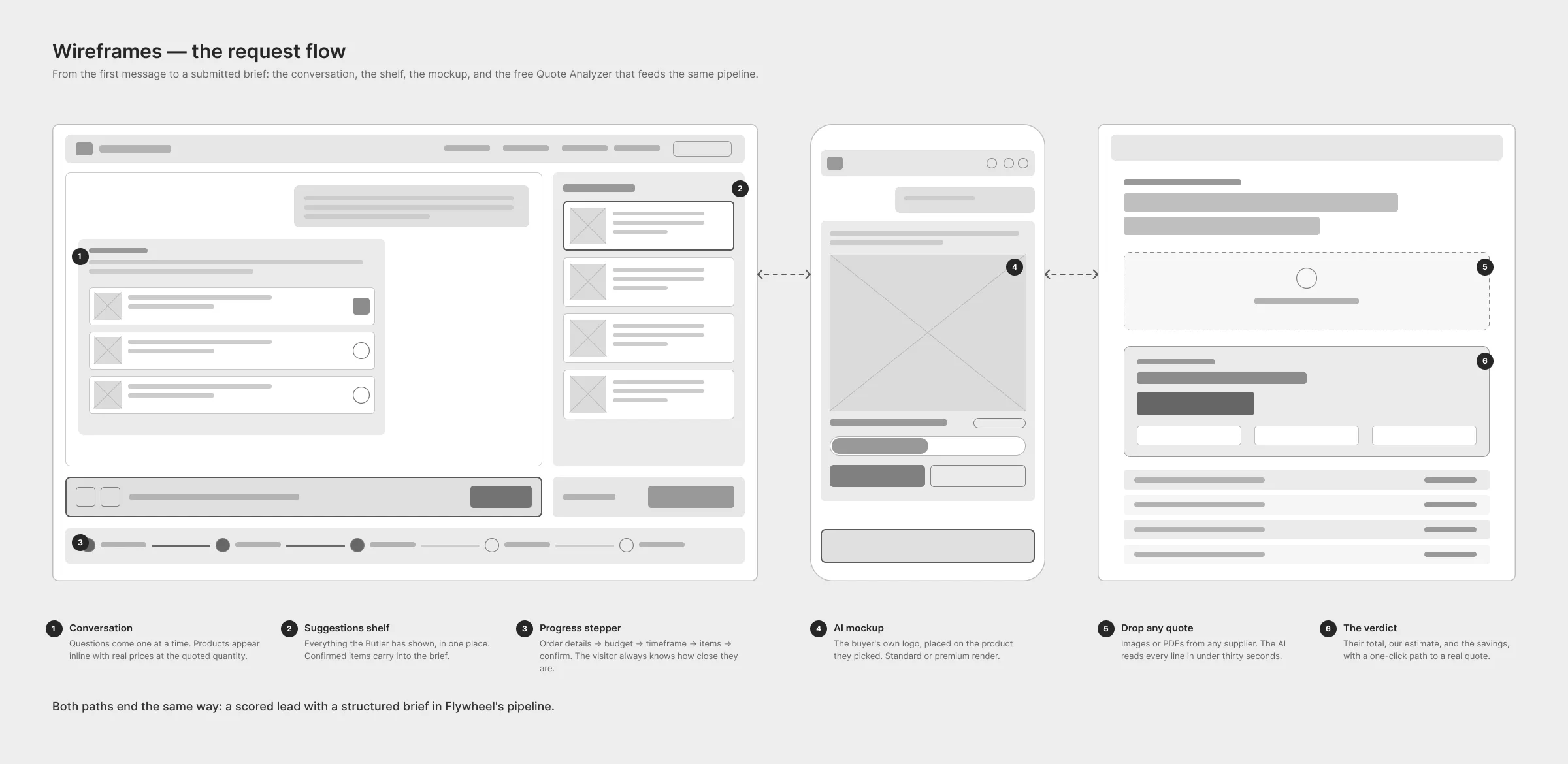
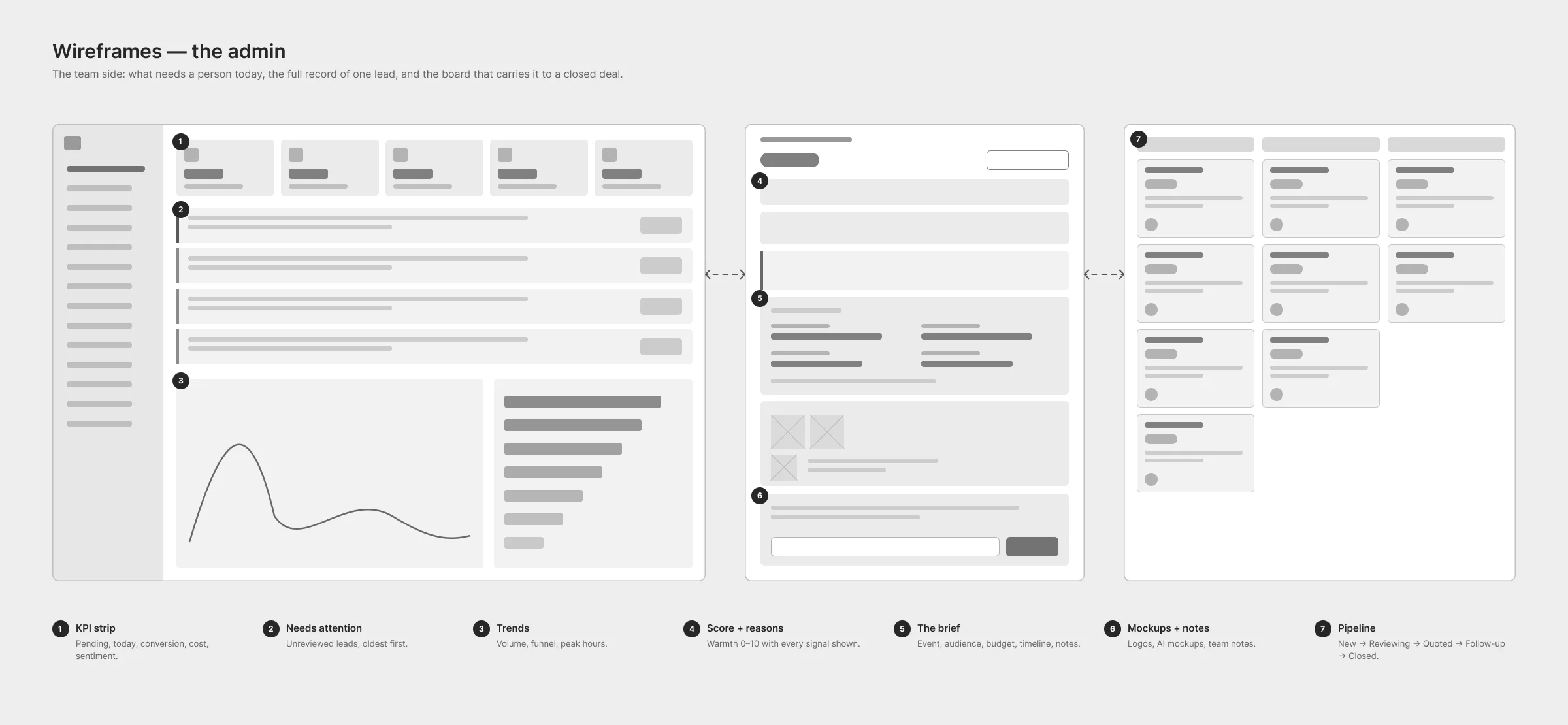
We started with grayscale wireframes for the buyer experience and the admin. What would help a buyer trust a recommendation? What would a rep need before following up? Those questions shaped the interface and the structured brief both sides would use, before we brought AI into the flow.
Beyond the Chat
Already have a quote
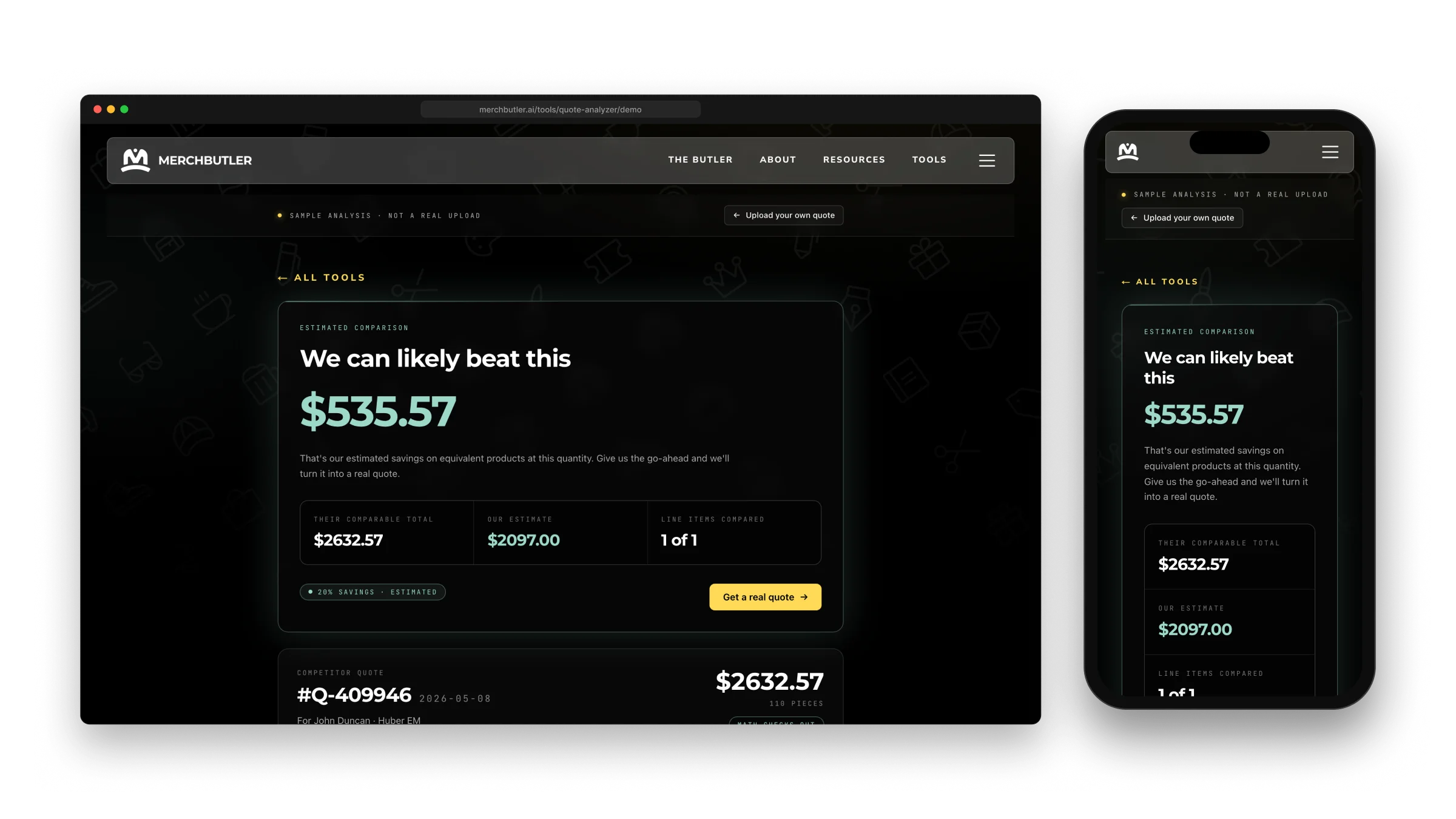
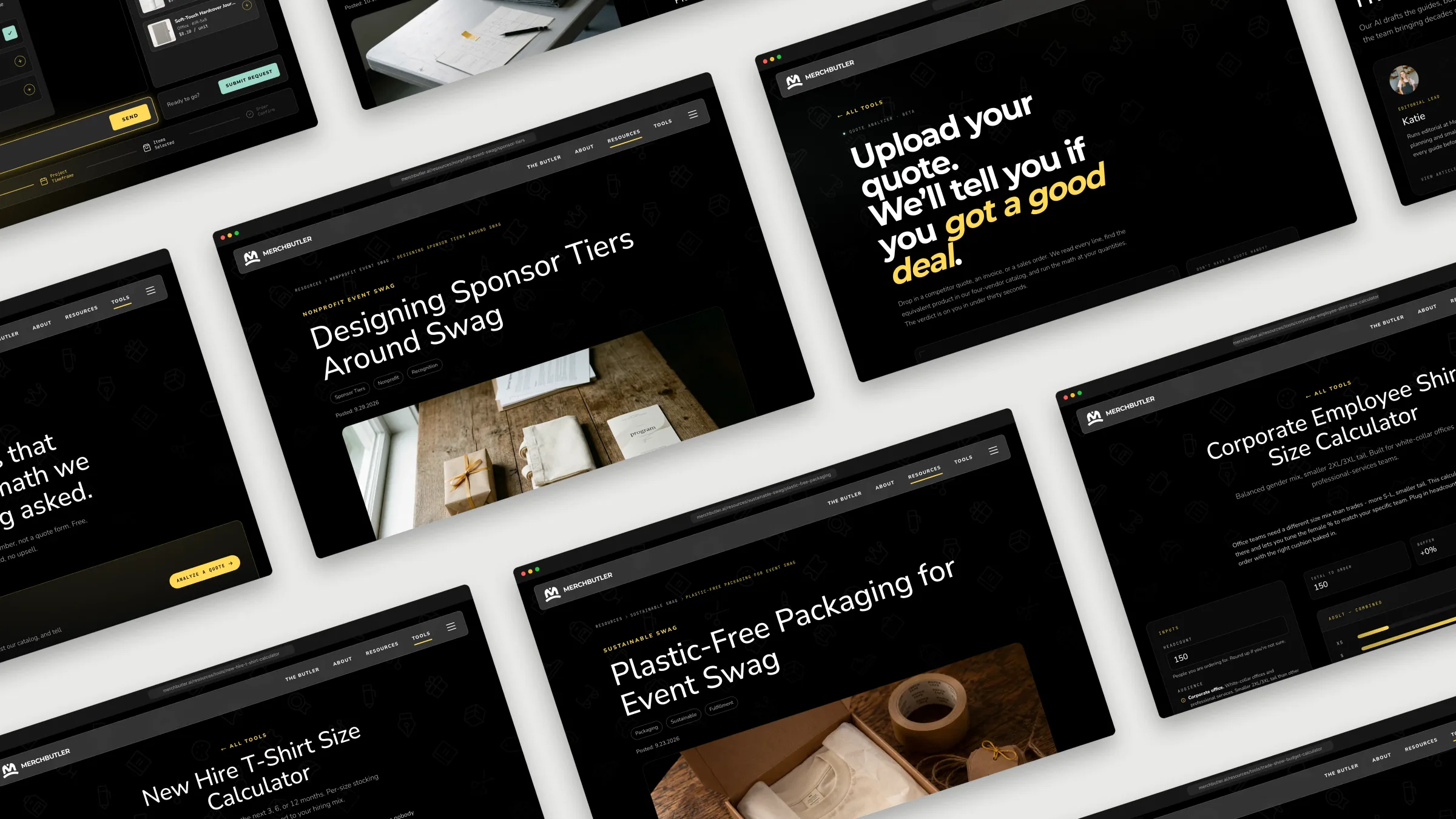
Some buyers arrive with a quote already in hand. The free Quote Analyzer reads an uploaded image or PDF, matches each line item to an equivalent product in the catalog, and estimates what MerchButler would charge at the same quantities. The comparison excludes tax and freight.
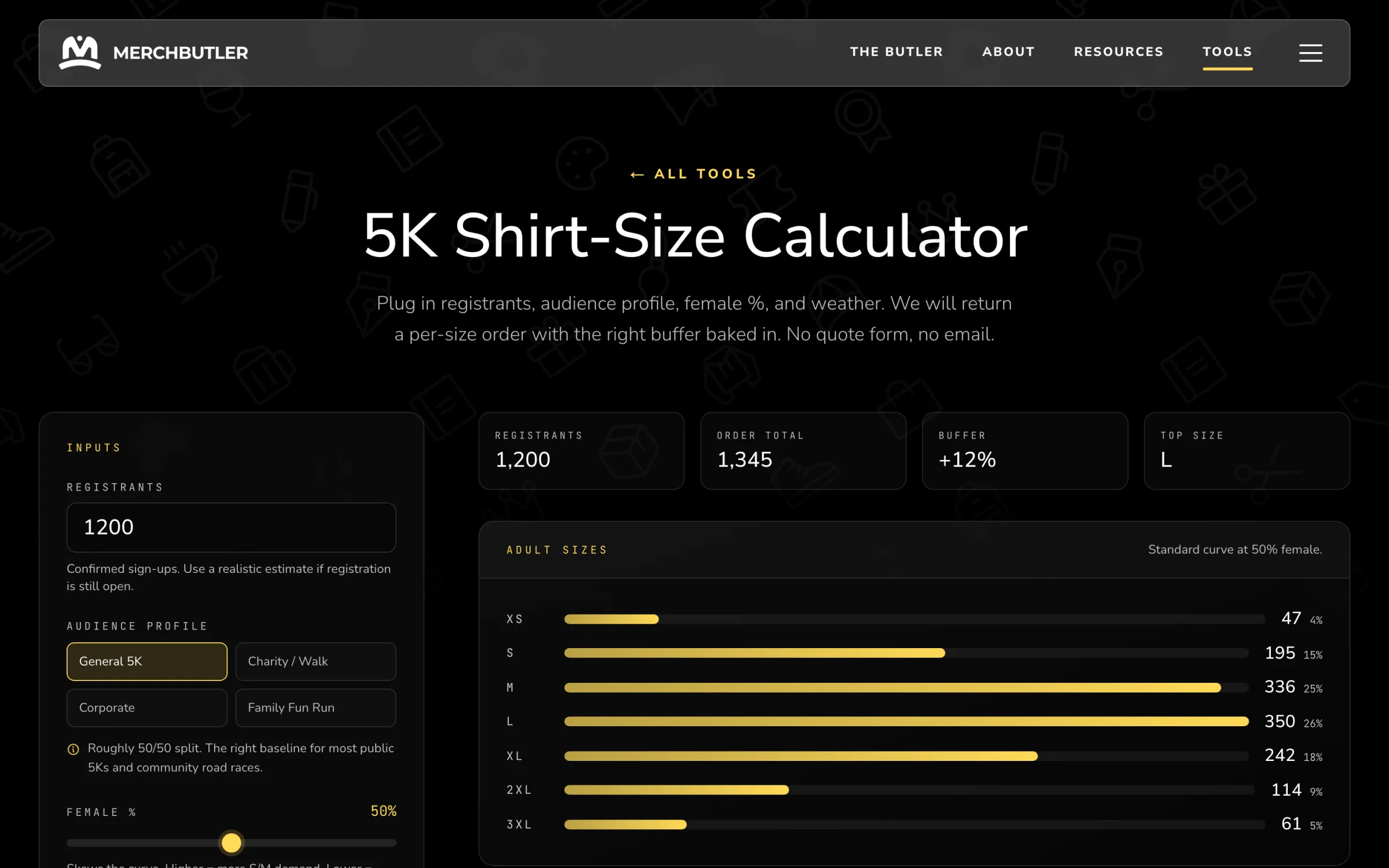
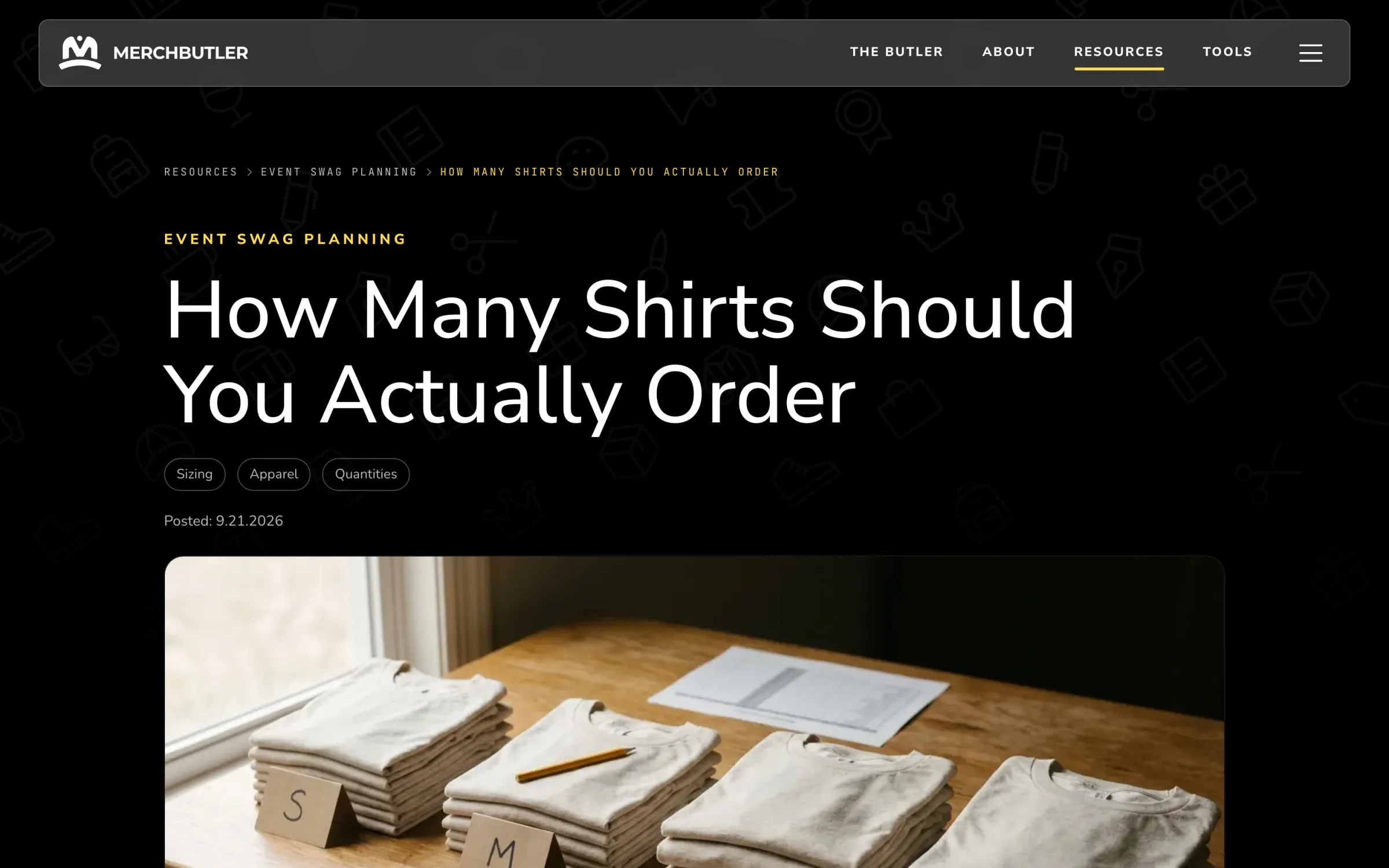
Buyer guides, sizing calculators, and product spotlights help visitors work through other questions along the way. AI drafts the written content from editor briefs and checks it against the house style. A person reviews and approves each piece before it publishes.
The Admin
Built for the sales team
A useful conversation needs a useful handoff. We built eighteen admin screens covering leads, content, catalog data, analytics, and costs. Flywheel & iPROMOTEu’s team can review requests, follow up with buyers, and manage day-to-day operations directly.
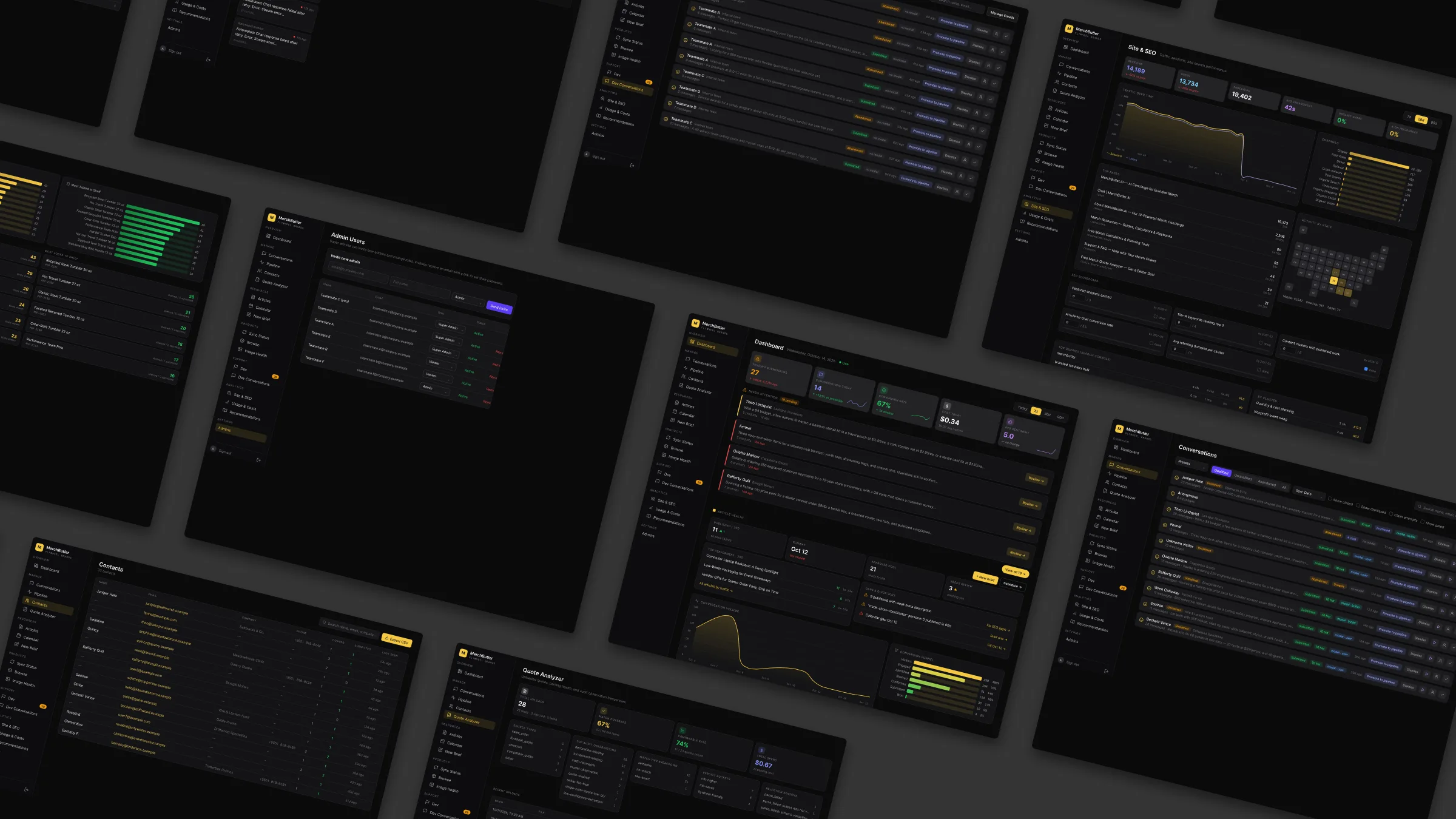
Eighteen screens. One connected workflow.
Dashboard
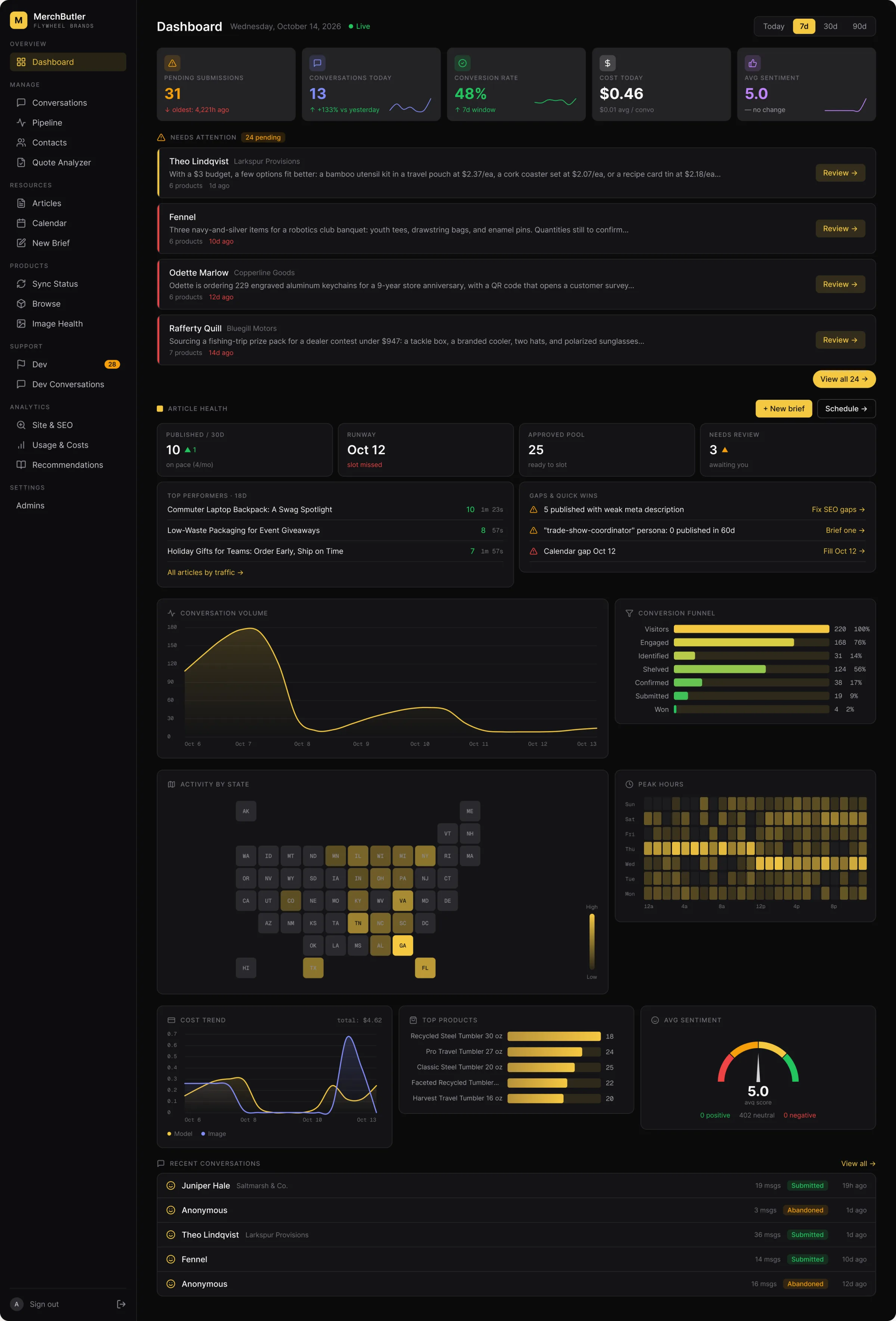
Know what needs attention
The dashboard brings overnight conversations, leads awaiting review, content health, and AI spend into one view, so the team can decide where to start.
Lead detail
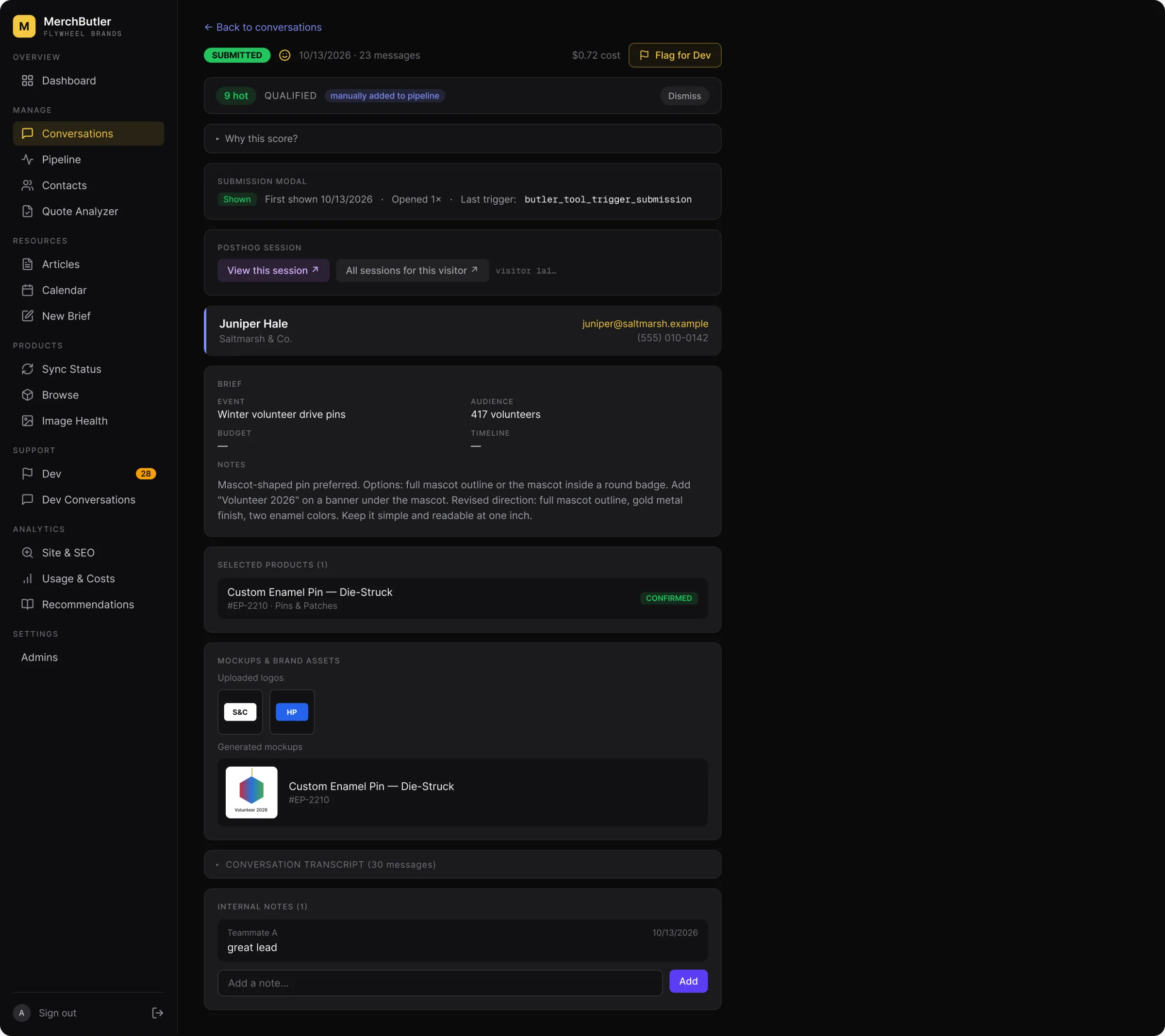
Get to know the buyer
Before making a call, a rep can see the event, head count, logo, and products the buyer selected, along with the conversation that brought them there.
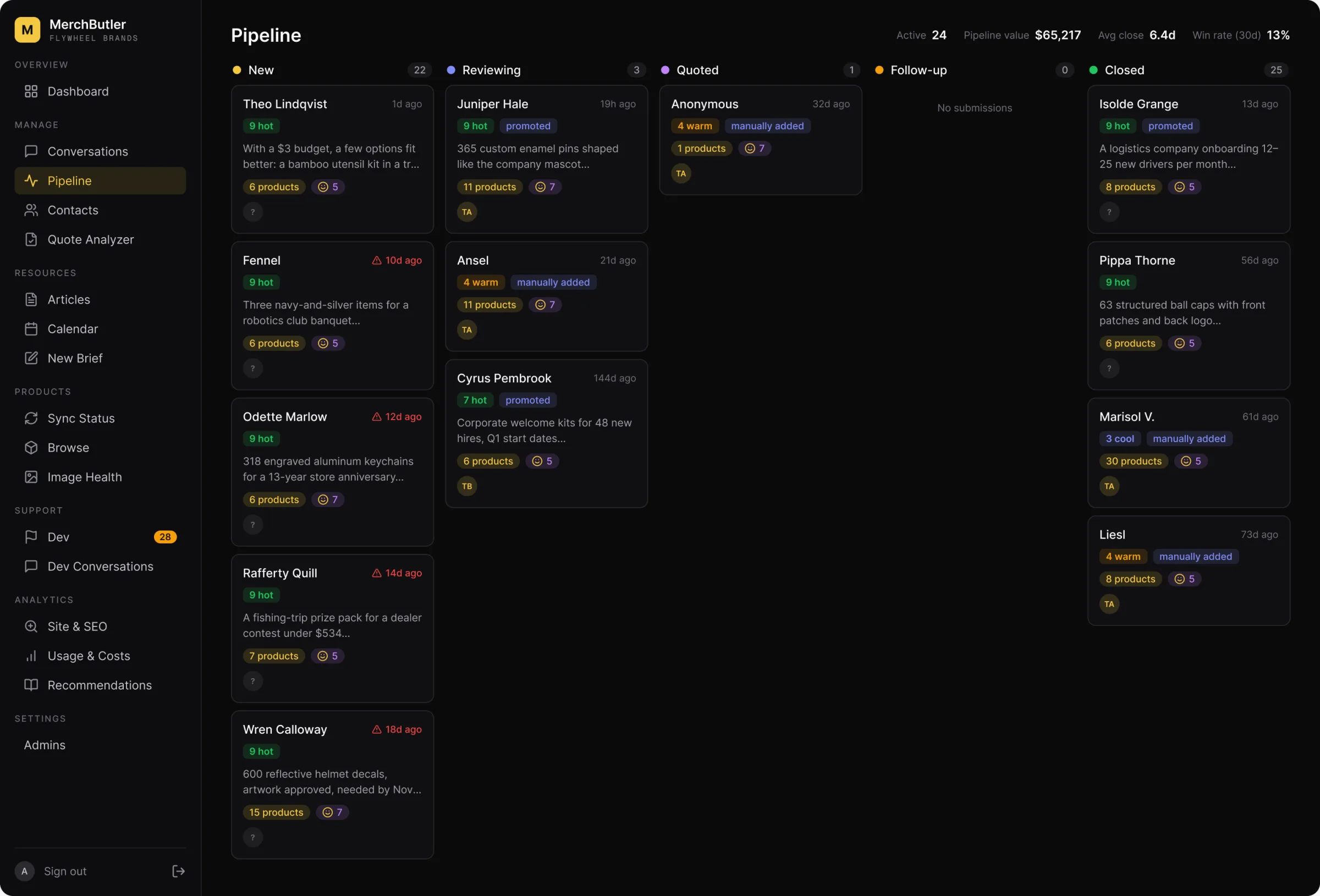
Pipeline
Keep requests moving
Submitted briefs become cards on a five-column board, giving their team a clear path from a new request to a closed deal.
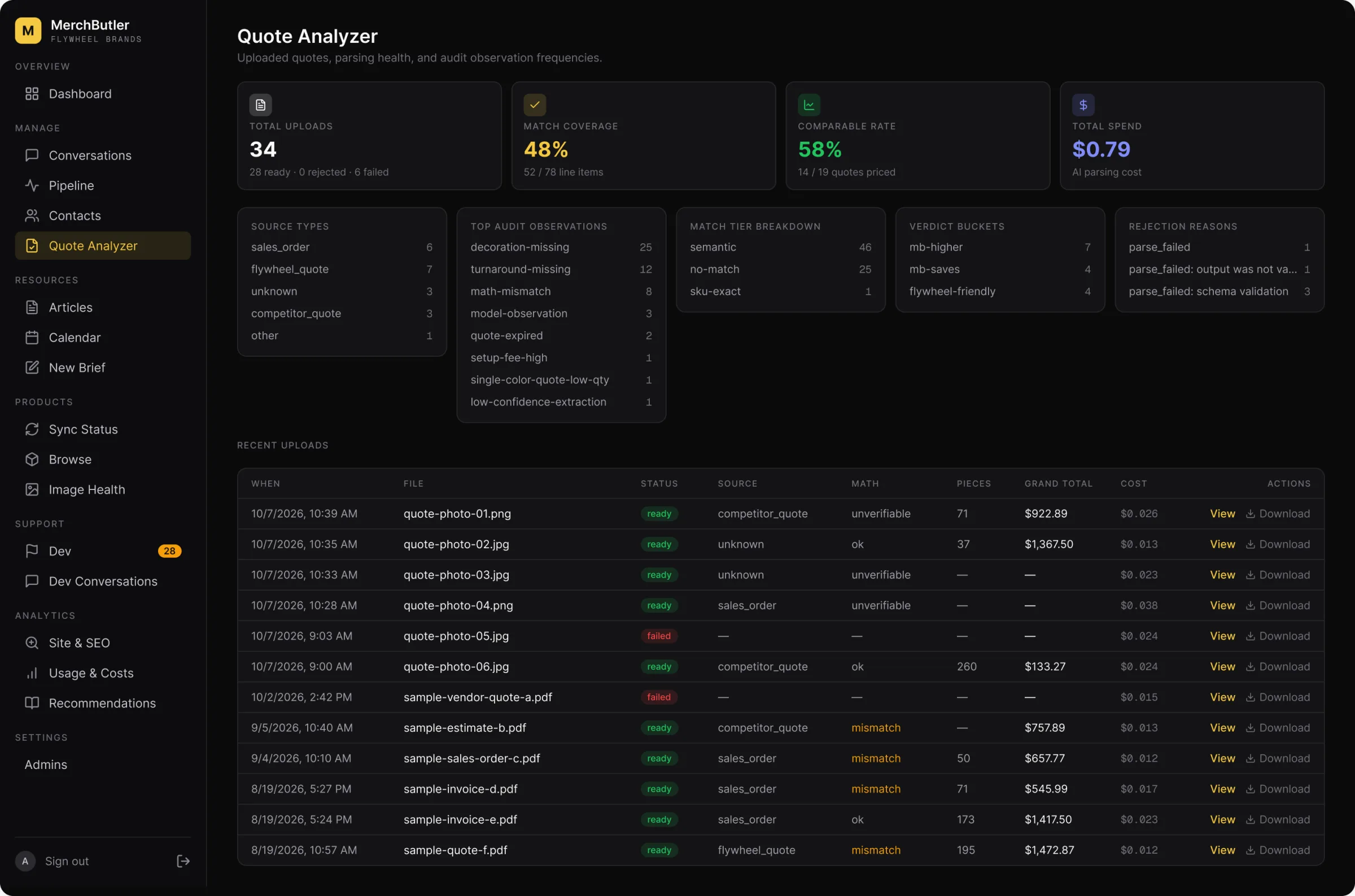
Quote Analyzer
Check the comparison
The team can review every uploaded quote, see how well the AI read it, and inspect the findings behind the estimate.
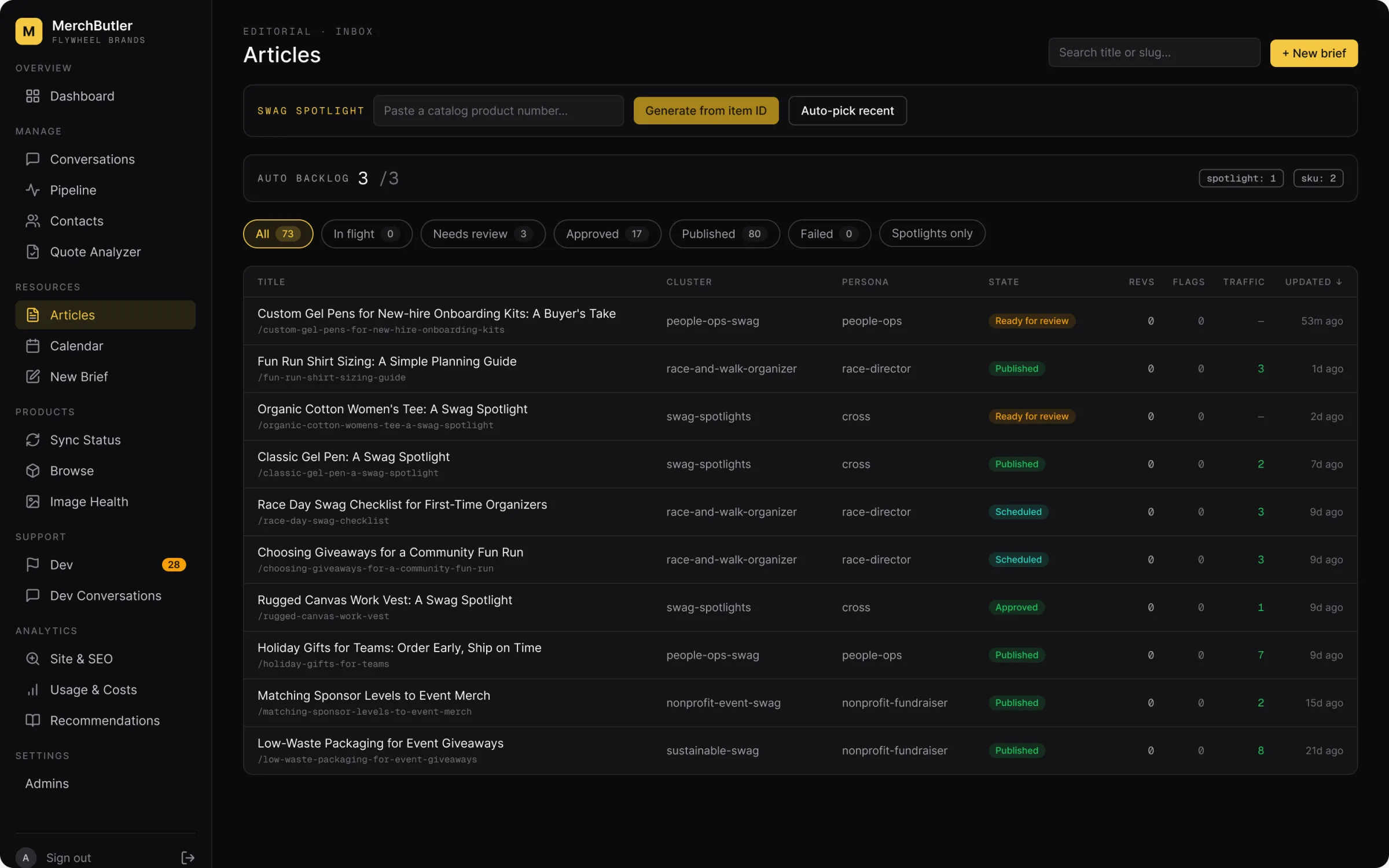
Content
Content with human oversight
The content tools help the team move from a brief to a draft that fits the brand’s voice. Every article still needs a person’s approval before it publishes.
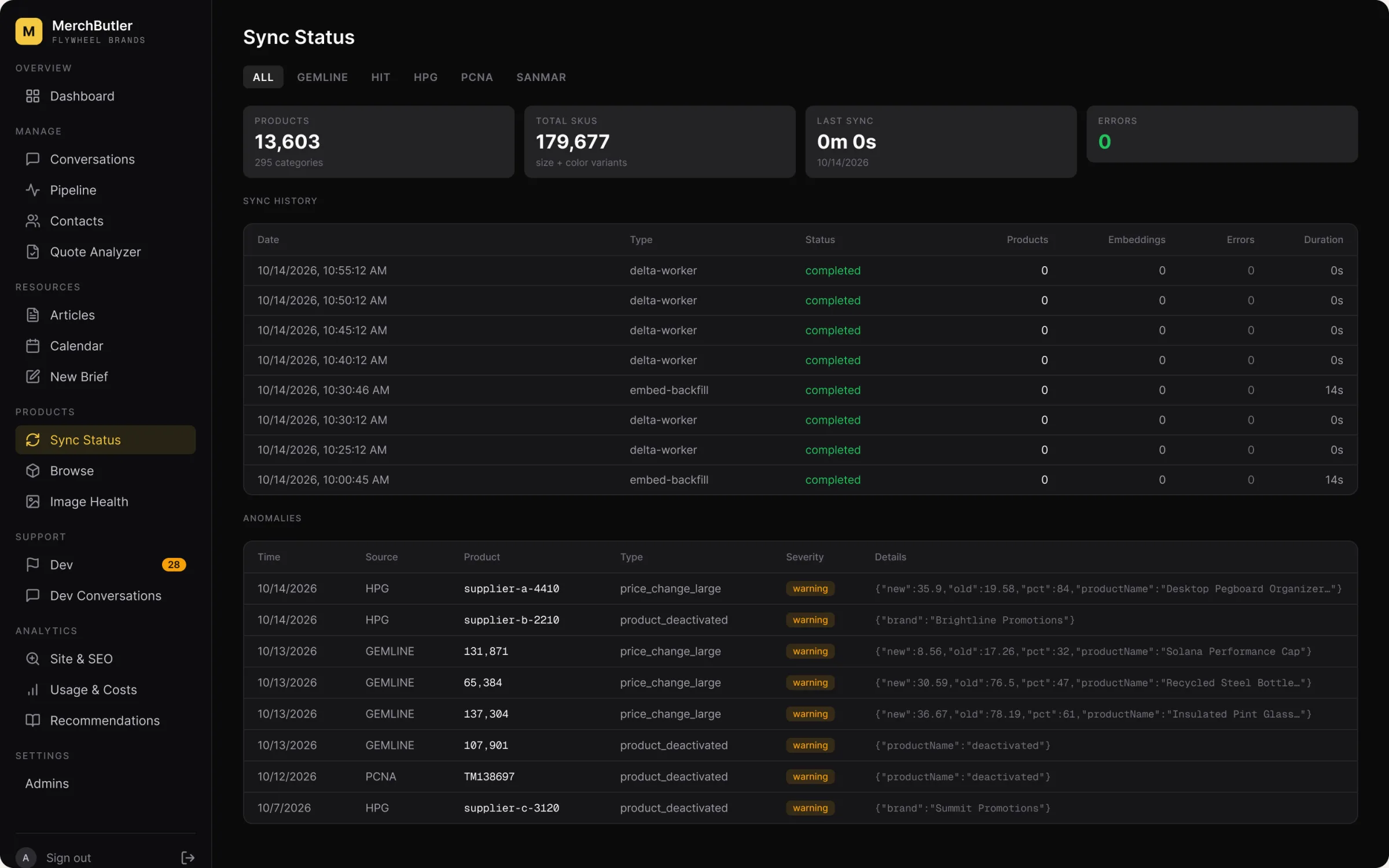
Catalog sync
Keep the catalog current
Recommendations depend on accurate product data. The catalog tools give them a clear view of what is available, what has changed, and what needs review.
The admin also includes contacts with CSV export, an editorial calendar and brief builder, catalog browsing and image checks, and a development feedback board connected to automated triage. GA4 and Search Console reporting, AI usage and cost tracking, product popularity, and team invitations with access roles round out the tools Flywheel/iPROMOTEu uses to run the platform.
Admin screens are recreated from the live product with sample customer data.
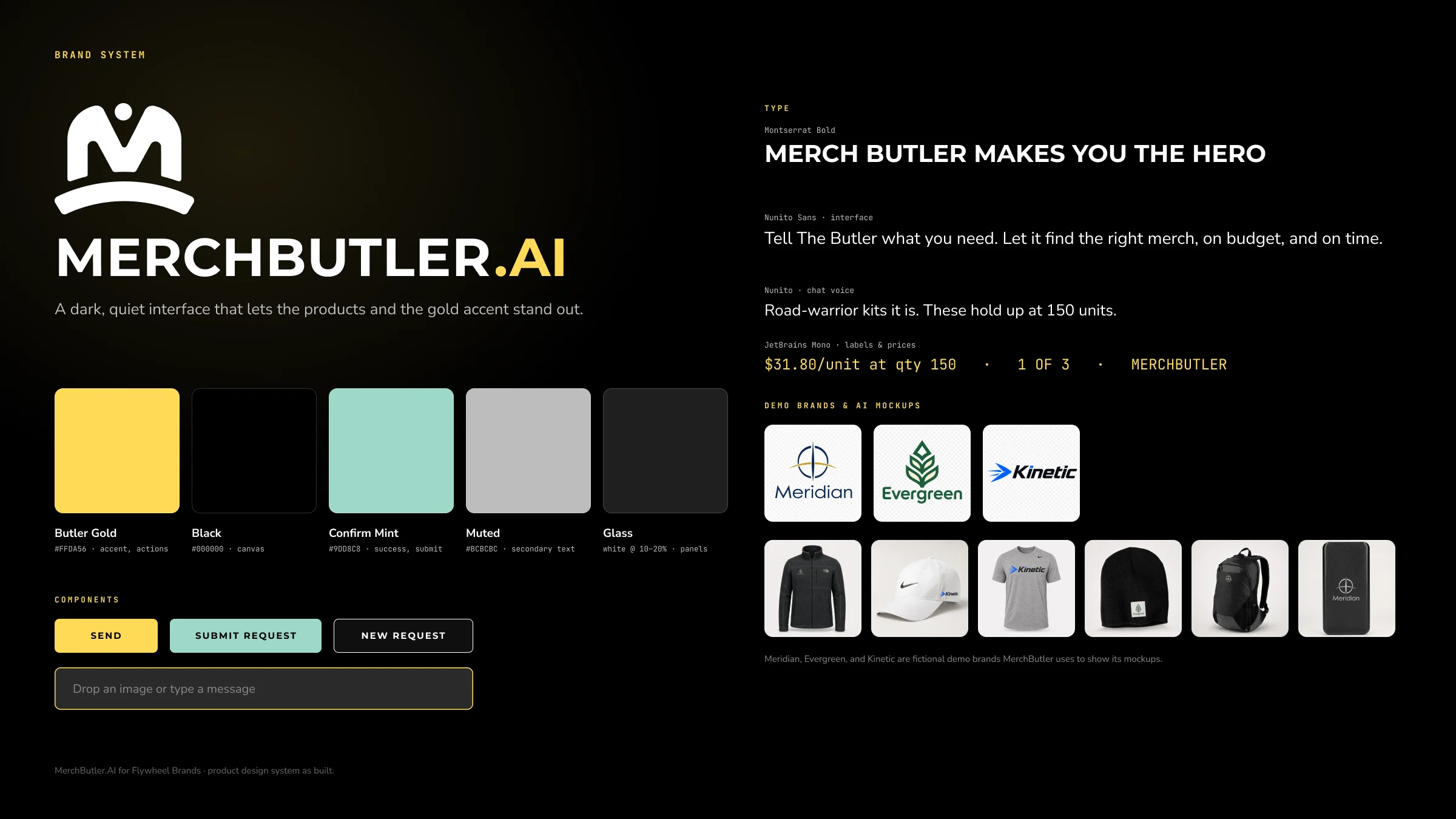
The System, Styled
Let the products shine
We kept the interface focused, with black providing the backdrop and gold guiding the next action. Mint marks completed steps. That leaves room for the merchandise and the buyer’s branding to stand out. The same design system supports branded organization portals with their own colors, logos, and catalog rules.
Under the Hood
The tools behind it
- Conversation
- Anthropic’s Claude Sonnet 4.6 through the Vercel AI SDK, with Haiku 4.5 for fast extraction and rewrites
- Search
- Postgres on Supabase with pgvector, using OpenAI embeddings for meaning-based product matching
- Mockups
- Google Gemini image generation, with OpenAI gpt-image-1 as a second tier
- Catalog
- PromoStandards SOAP feeds for Gemline, HIT, HPG, and PCNA, plus SanMar over SFTP
- Insight
- GA4 and Search Console APIs, PostHog session replay, and per-conversation cost metering
- Platform
- Next.js 16 and React 19 on Vercel, with sixteen scheduled workers keeping it all current
We designed and built MerchButler as a connected product, from the buyer’s first question to the supplier feeds behind every recommendation. The concierge, mockups, Quote Analyzer, content tools, and admin work together to give buyers a clearer path to a quote and Flywheel’s team the context to follow up.
About a penny per conversation