
Interactive Museum Exhibits
Exhibits people actually stop for
Touchscreens, AR and exhibit games for museums and visitor centres. Designed for a stranger with eight seconds, and built for staff who have to run it for years.
What an exhibit build involves
A gallery is a harder room than a website. Nobody arrives with intent, nobody reads instructions, and whatever you install has to survive a school group and then keep working for a decade.
What you get
- An attract loop that earns the first touch from across the room
- A first screen that needs no explaining and no staff member standing next to it
- Content depth for the visitor who does want the full ninety seconds
- Hardware specified early, while it is still a line on a drawing
- Offline-first, because gallery Wi-Fi fails exactly when the room is busiest
- Documentation and a support path so year three is not a crisis
Capabilities
Touchscreen & kiosk
The workhorse of the gallery floor.
- Wayfinding, deep-dive and collection browsers
- Multi-user tables and wall-scale displays
- Attract loops and idle reset behaviour
- Reach, contrast and caption work for mixed audiences
- Hardware specification and procurement
AR & 3D
Objects that cannot be in the room.
- Web-based AR with nothing to install
- Real-time 3D of artefacts too fragile or too far away to display
- Reconstructions of places and objects that no longer exist
- Companion experiences visitors keep after they leave
- Photogrammetry and asset preparation
Exhibit games
Learning that does not announce itself.
- Rules and scoring built around the curatorial goal
- Single session play, finishable while standing up
- Difficulty that works for a child and an adult on the same screen
- Custom illustration, animation and sound
- Analytics on what visitors actually did
On the floor
Exhibits we have installed.

North Carolina Museum of Art
A samurai exhibit you play your way through
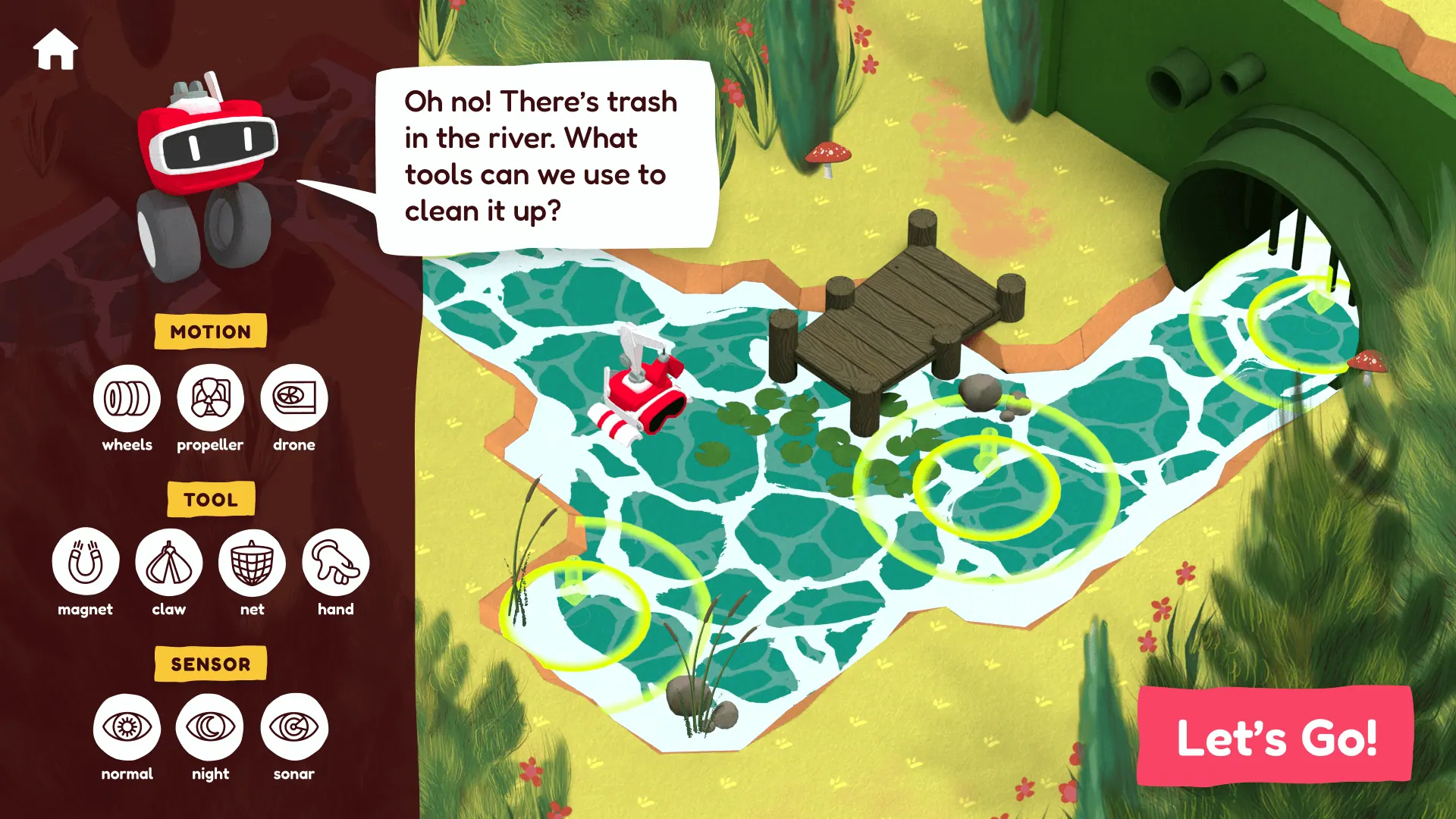
Creative Discovery museum
A robot-building game on a museum floor

The Walt Disney Family Museum
Mary Blair, in the room with you
We have also built the Lee University campus map, which is the same discipline pointed at a different kind of visitor. If your institution sits outside the museum world, the industries we serve page covers the rest.
“They dream with you and think outside the box. They see the big picture and share your vision, being the ultimate team players. What great individuals and what a great company to work with.”
Dr. Wayne Robinson
Director of Marketing and Communications, Creative Discovery Museum
Our Approach
01
Curatorial intent
What should a visitor leave knowing or feeling? Everything downstream is judged against that sentence, and writing it down early settles a lot of later arguments.
02
Floor and hardware
Where it sits, how people queue, what it mounts to, how it is powered and cooled. Cheap to change on a drawing, expensive to change on site.
03
Prototype the first touch
We build the attract loop and opening interaction early and put it in front of people who have never seen it, because that is the only honest test.
04
Build and content
Software, illustration, animation and sound in parallel, against the hardware spec rather than a hoped-for one.
05
Install and tune
On site, in gallery lighting, with real visitors. Brightness, audio levels and timings almost always move on the day.
06
Hand over and support
Documentation, staff walkthrough and an agreed response time, so a dark screen on a Saturday is a phone call rather than a project.
What you get
What leaves with you at the end of an exhibit engagement, beyond the running installation itself.
- Hardware specification and mounting requirements
- Interaction and content design documentation
- The exhibit software, built to run offline
- Source assets: 3D, illustration, animation, audio
- Staff operating guide and reset procedure
- Analytics dashboard for visitor engagement
- Accessibility notes and compliance record
- Optional support agreement with a response time
Planning an exhibit?Talk to us early.
Start the conversation
Questions, answered.
- Do you supply the hardware as well?
- We specify it and we will happily procure it. Screen size, mount height, orientation and whether a kiosk needs a physical button are exhibit design decisions, not IT decisions, and getting them wrong is expensive once the millwork is built.
- How long do visitors actually spend with these?
- Assume eight seconds to earn the first interaction and around ninety to finish. We design the attract loop and the first screen for the eight, and the depth for the ninety. Anything requiring a tutorial is a design failure.
- Can it run without a network connection?
- Yes, and for a gallery floor it usually should. We build so the experience runs locally and syncs analytics when it can, because the one guaranteed event in a museum is the Wi-Fi dropping during a school visit.
- What about accessibility?
- Reach ranges and touch targets for seated and standing visitors, contrast that survives gallery lighting, captions on anything with audio, and a path through the content that does not depend on hearing or on fine motor control. We would rather design this in than be asked at install.
- Who maintains it after opening?
- You can, and we will document it so that is realistic. We also offer a support agreement covering patching, monitoring and a response time, which is worth having when a screen goes dark on a Saturday.
- Do you work with our exhibit designer or fabricator?
- Regularly, and it goes better when we are in the room early. The digital piece has power, data, heat and mounting implications, and those are cheap to solve on a drawing and expensive to solve on site.
Keep exploring